.svg)

Escalation Matrix: What It Is and How to Build One
Learn what an escalation matrix is and how to build one with clear tiers, owners, triggers, and SLAs to resolve requests faster.


A support request comes in that frontline can't solve. What happens next? On most teams, the honest answer is that someone pings a channel, waits, and hopes the right person is watching. That is how requests get lost and how a two-hour problem becomes a two-day one. An escalation matrix fixes that by deciding, in advance and in writing, who handles what, when it moves up, and how fast.
This guide covers what an escalation matrix is, the five components every good one contains, how to build one step by step, how to put it into practice, and the mistakes that quietly break it.
What Is an Escalation Matrix?
An escalation matrix is a reference document that maps the severity or type of a request to the specific role that owns it, the path it follows if that role can't resolve it in time, and the response and resolution targets at each level. It turns recurring judgment calls into a repeatable process.
Teams need one because, without it, escalation lives in someone's head. The process isn't documented, so each person improvises. Requests get lost in busy channels, no one clearly owns them, and resolution drags while people figure out who to ask.
An escalation matrix is not the same as an escalation policy, which is a common point of confusion. The policy is the rule; the matrix operationalizes it. The policy is the set of rules that describes your process. The matrix is the thing an agent looks at in the moment to decide what happens next. You write the policy once. You consult the matrix every time.

What Does an Escalation Matrix Contain?
A matrix is only as useful as the details inside it. These five components are what separate a real reference from a vague org chart.
1. Escalation Tiers
Tiers are the levels a request can move through, typically from a frontline level that handles common issues to a specialist level and then an expert or engineering level for root-cause work. Keep the count tight: every tier is a handoff, and every handoff is friction. Most teams do well with three or four levels with clear responsibility boundaries.
2. Trigger Criteria
Trigger criteria are the conditions that move a request from one tier to the next, such as a missed first-response target, an issue blocked for a set number of hours, or a severity threshold crossed. Good criteria are observable, meaning the system can detect them without anyone having to interpret what "urgent" means. If a trigger depends on a feeling, it will fire inconsistently or not at all.
3. Owners and Notification Paths
Each tier needs exactly one accountable owner and a defined way to reach them. Name a role rather than a person, because named individuals go stale the moment someone changes jobs. The notification path is the channel that actually carries the alert, so the right owner knows a request has landed with them.
4. SLA Targets Per Tier
Each tier carries its own service-level targets, and the key distinction is between response and resolution. Response time means acknowledgment, not a fix. Promising a 15-minute human response for a critical issue is achievable; promising a 15-minute resolution is not. Writing both numbers down keeps the commitment honest.
5. Documentation and Distribution
The matrix has to be written down and put where the team will actually see it. A matrix that lives in a PDF nobody opens is a matrix nobody uses. This component is about making the reference one screen long, current, and reachable from the place the work happens.

How to Build an Escalation Matrix: Step by Step
Build it in order. Each step depends on the decisions made in the one before.
Step 1: Define Your Escalation Tiers
Start by listing the levels a request can travel through. Decide how many tiers reflect how your work actually flows, not how your org chart looks. A common pattern is frontline for common issues, a specialist level for complex ones, and an expert or engineering level for bugs and root-cause work, with a separate fast path for true emergencies like outages. A completed step is a short, named list of tiers, each with a one-line description of what it handles.
Step 2: Set Trigger Criteria for Each Tier
For each tier, decide what moves a request up to it. Severity sets the clock and time enforces it, so build criteria around both: a severity classification at intake, plus time thresholds that fire when a tier runs out of its SLA. Decide the exact conditions and write them as observable facts, such as "blocked 24 hours," "customer-impacting outage," or "approval overdue." A completed step is a set of triggers a system could detect on its own.
Step 3: Assign Ownership and Notification Paths
Now attach a single accountable owner to each tier and the channel that reaches them. Every level needs a named role, a time threshold, and a channel, and missing any one breaks the chain. Decide who owns each tier and confirm they have agreed to it. Listing a senior role as a tier owner means nothing if that person has never seen the document or agreed to the response time attached to their name. A completed step is a matrix where no tier points at "someone."
Step 4: Set SLAs Per Tier
Assign response and resolution targets to each tier, tightest at the top. Decide what acknowledgment time and resolution time you can genuinely commit to at each level, and tie them to customer impact rather than internal convenience. Be realistic: an SLA you miss every week trains people to ignore the matrix. A completed step is a target for first response and for resolution on every tier.
Step 5: Document and Distribute
Write the finished matrix in one place and get it in front of everyone who uses it. Decide where it will live and how people will reach it in the moment, not during a calm planning session. Share it, walk the team through it, and confirm each named owner knows their role. A completed step is a matrix the whole team has seen and can find without asking.
Example Escalation Matrix
Here is a composed example for a fictional operations team at a made-up company, Brightmer Logistics. Every name, role, and tool below is invented to illustrate the format.
Timing starts when the request is received for Tier 1 and when it is escalated to Tier 2 or Tier 3. Emergency timing starts when the incident is identified. Tier 1 and Tier 2 targets count only business hours, defined here as Monday–Friday, 9 a.m.–5 p.m. in the team’s local time. Tier 3 and Emergency targets—and the “blocked 24+ hours” trigger—include nights and weekends. The blocked-time countdown starts when the request is marked blocked.
How to Use an Escalation Matrix in Practice
A matrix works best when the team understands it and uses tools to track ownership and deadlines. Introduce it by walking the team through each tier, naming the owners out loud, and confirming the people in those roles have agreed to their response times. Then put it where the work happens. It should be one screen long and visible in the place your team actually works, not buried in a wiki.
In the first weeks, good looks like escalations following the paths on paper, owners acknowledging within their SLA, and fewer "who handles this?" messages. What breaks down is predictable. Teams that skip distribution find the matrix sends someone to a dead end once, and after that people stop trusting it and go back to scrolling for a name. Teams that don't tie triggers to ticket data end up escalating ad hoc, because the matrix was never wired into the system that queues the work.
That last gap is where the matrix most often fails. A document that says "escalate at the two-hour mark" is only as good as the system that notices two hours have passed. The reference needs a runtime behind it.
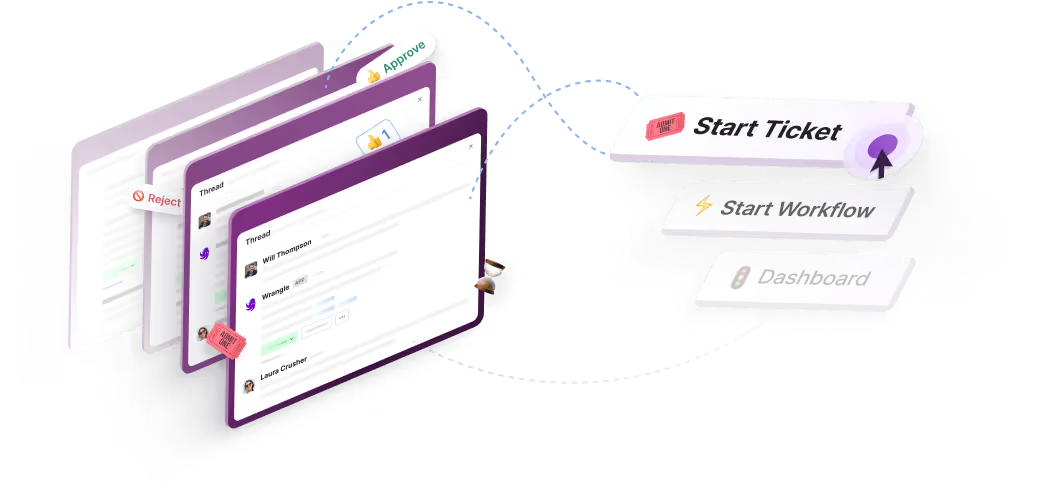
This is where Wrangle fits. Wrangle helps teams track requests across Slack, Microsoft Teams, and email. It supports the escalation process with ticket ownership, configured routing, SLA tracking, and reminders, helping teams keep requests organized as they move between owners.
Managers get the other half: reporting that surfaces escalation patterns, response times, and bottlenecks, so the team can prove where work is piling up and staff accordingly. Wrangle is also the only one of its competitors with a native Slack Workflow Builder integration, which matters when you want escalation routing triggered from the same workflows your team already runs.
Tracking requests this way can help teams respond faster. Wrangle reports that its customers have seen 60% faster ticket response times, and that its AI in Slack deflects more than 75% of common questions before they reach a human agent, which keeps the lower tiers clear for the requests that genuinely need a person.
.png)
Common Escalation Matrix Mistakes
Most matrices don't fail because they were badly designed. They fail in use, in a handful of recurring ways.
Vague Trigger Criteria
Defining severity by feeling is the most common design flaw. "Urgent" and "high priority" mean different things to different people, so the same issue escalates on one shift and stalls on the next. Tie every level to customer impact with concrete examples the system can detect.
No Named Owner Per Tier
A tier that points at "engineering" with no specific role ends up as a message to a channel, picked up by the wrong person or nobody. Every row should name exactly one accountable owner, even when several teams contribute to the fix. Use roles, not individual names, so ownership survives staff changes.
SLAs That Exist on Paper Only
An SLA is a promise, and a promise no system is watching is just a sentence. If nobody and nothing is tracking the clock, the two-hour escalation point passes unnoticed and the matrix never fires. Wire the SLA into the tool that queues the work so the reminder arrives before the commitment is missed, not after.
Skipping Distribution
A matrix the team hasn't seen is a document, not a process. The first time it sends someone to a dead end, trust evaporates and people revert to improvising. Distribute it, keep it current, and confirm every named owner has agreed to the role attached to them.
Frequently Asked Questions
What Is an Escalation Matrix and What Information Does It Contain?
An escalation matrix is a reference document that maps the severity or type of a request to the role that owns it and the targets for handling it. It contains escalation tiers, the trigger criteria that move a request up, the owner at each tier, the notification path that reaches them, and the SLA targets for acknowledgment and resolution.
What Are the Four Stages of Escalation?
The phrase "four stages of escalation" usually comes from behavioral de-escalation, where it describes rising stages of workplace aggression, which is a different subject from support and operations. In support and operations, there is no fixed four-stage model. The comparable concept is escalation tiers, and most teams use three or four of them, running from a frontline level up to specialist and engineering or management levels.
What Is an Escalation Policy?
An escalation policy is the set of rules that defines your escalation process: what counts as an escalation, who owns each severity, how fast the first response must fire, and how the loop is closed. The policy states the rules; the escalation matrix is the reference that puts those rules to work in the moment.
What Is an Example of Escalation?
Escalation takes two main forms. Functional escalation moves a request to a more skilled person, such as a frontline agent handing a tricky issue to a specialist. Hierarchical escalation moves it up the management chain, such as a stalled high-impact issue going to an operations lead. A major database failure might do both at once: functionally, it goes to the database team, and hierarchically, it reaches the operations director.
Wrangle learns from your tickets and knowledge base to handleup to 75% of Slack questions automatically.


4.7 Average rating


Turn Slack into a productivity powerhouse with Wrangle
Create a scalable helpdesk in Slack. Automatically turn messages into trackable tickets and provide faster, more transparent service to your colleagues and customers with Wrangle — Try it free!
Wrangle learns from your tickets and knowledge base to handleup to 75% of Slack questions automatically.
4.7 Average rating