

.svg)

Internal Ticketing Systems: Best Options for Your Team
Compare internal ticketing systems and find the right tool to track your team’s requests in Slack, Microsoft Teams, and email.


A request comes in through Slack. Someone promises to handle it, then a dozen newer messages bury the thread. A week later the person who asked follows up, and nobody can say who owned it or what happened. That is the daily reality for IT, HR, and operations teams running on shared inboxes, pinned messages, and spreadsheets.
An internal ticketing system fixes that by giving every request an owner, a status, and a trail. This post walks through what to look for, compares the tools buyers actually shortlist, and helps you match your situation to the right type.
Why Internal Requests Go Missing
Internal requests don't arrive through one tidy channel. They come as Slack DMs, Microsoft Teams messages, forwarded emails, and hallway asks that never get written down. When a request has no owner and no status, it depends on someone remembering it. Memory is not a system.
The cost adds up. Staff lose trust when their asks vanish, and agents burn time switching between the chat where work is requested and the tool where it is tracked. Managers can't see the true workload, which turns every staffing decision into a guess.
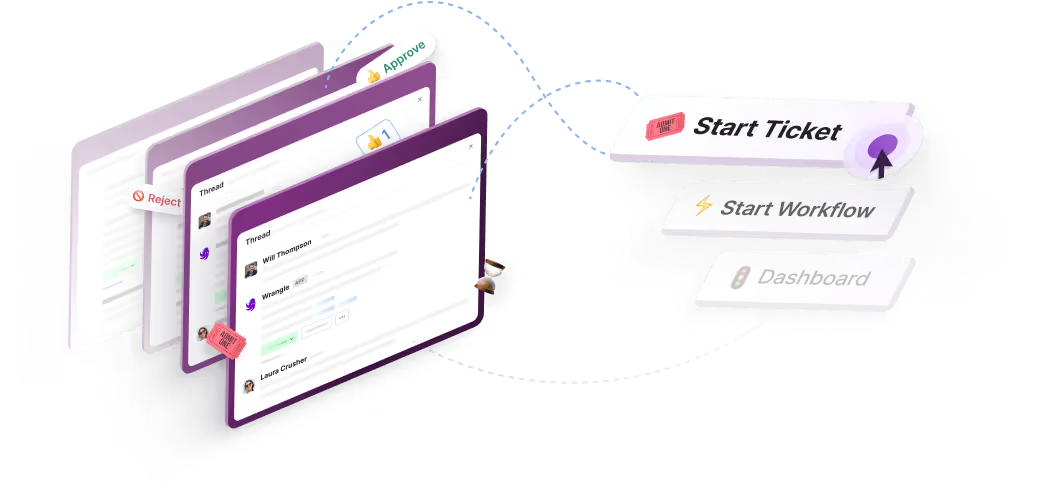
This is the problem a good internal ticketing system solves. It captures the request where it was made, assigns an owner, tracks it to resolution, and reports on the whole flow. Wrangle is built for exactly this: AI-powered ticketing and workflow automation for internal and external teams across Slack, Microsoft Teams, and email. Because requests become tracked tickets without anyone leaving the conversation, less slips through. Wrangle reports that customers have seen 60% faster ticket response times.
.png)
What to Look For in an Internal Ticketing System
The right tool depends on where your requests arrive and how your team already works. These are the criteria a buyer in your seat should weigh.
- Works where the team already works. Your people live in Slack, Microsoft Teams, or email. A system that forces them into a separate portal adds the exact friction you are trying to remove. The capture should happen where the request is made.
- Captures every request, not just portal submissions. Most internal asks never make it to a form. A good system turns a chat message or an email into a ticket, so the quiet requests get tracked alongside the formal ones. Context switching is what loses them.
- Assigns ownership and tracks status without manual chasing. Every request needs a named owner, a status, and a priority from the moment it lands. The point is to stop managers from chasing updates and to stop requesters from wondering whether anyone saw their ask.
- Automates recurring workflows. Onboarding, access requests, purchasing, and contract approvals repeat constantly. A system with no-code forms, assigned tasks, and approval steps coordinates the handoffs and keeps a record, so nobody has to run the process by hand each time.
- Reports on workload, response times, and backlogs. You can't scale a team you can't measure. Reporting on who is handling what, how fast, and where the bottlenecks sit turns staffing from a guess into a case you can prove.
- Handles common questions with AI before they reach an agent. A large share of internal questions are the same questions, already answered somewhere. AI that pulls from your knowledge base deflects the repeats and routes the rest to a person, so agents spend their time on the work that needs them.
- Integrates with the tools you already use. Your ticketing system should talk to your service desk, your knowledge base, and your automation tools. Integrations keep the system in the flow of existing work instead of becoming another island.
The Tools
The list is ordered by fit for Slack- and Microsoft Teams-native internal ticketing first, then broader help desk tools.
Wrangle
Wrangle helps teams track requests across Slack, Microsoft Teams, and email. It turns requests from any of those channels into tracked tickets with owners, statuses, priorities, and SLAs, worked from chat or the web app, so the requester never has to leave where they work and nothing waits in a channel for someone to notice it.
In Slack, Wrangle also runs no-code workflows for approvals, onboarding, and access requests, built from custom forms, assigned tasks, and conditional routing. In Slack, Wrangle AI deflects common questions from connected knowledge and escalates the rest as a tracked ticket, and Copilot suggests replies for agents to review and send.
These AI features are on the Scale plan. Reporting covers workload, response times, and bottlenecks. Wrangle is the only tool in its category with a native Slack Workflow Builder integration.
It is built for IT, HR, operations, and finance teams, and for B2B customer support through Slack Connect and email. Wrangle reports that its AI in Slack deflects more than 75% of common questions before they reach a human agent, and that customers have seen a boost of 50% or more in customer satisfaction.
Unthread
Unthread is built for turning Slack and email conversations into tickets. It is positioned for omnichannel internal support and includes AI capabilities.
ClearFeed
ClearFeed is a Slack-native help desk tool built for internal support teams.
Freshservice
Freshservice is an IT service management platform with ticketing, asset management, and workflow automation. It is built for IT teams that want a full service management suite.
Jira Service Management
Jira Service Management is Atlassian's service management product. It is common in engineering and IT environments where teams already use Jira.
Zendesk
Zendesk is a customer support platform that is also used as an internal help desk. It carries a broader feature set and is built for teams that need one platform for internal and external support at scale.

How to Choose
Start with where your requests actually arrive. If your team lives in Slack or Microsoft Teams and most asks come through chat and email, a chat-first system captures work that a portal-first tool would miss. If your requests already flow through a formal portal and you need deep asset management or a full service management suite, a portal-first IT platform fits that shape better.
Weigh team size and complexity next. A smaller team drowning in untracked Slack and email requests needs capture and ownership more than it needs a heavy configuration project. A larger IT organization with asset tracking and change management needs the broader suite, and should expect a longer rollout.
Then ask whether you need one platform for both internal and external support. Teams that handle customer conversations through shared channels, alongside internal IT and HR requests, benefit from a single tool that does both rather than two systems to maintain.
Finally, consider whether AI deflection matters: if the same questions arrive over and over, a system that answers the repeats before they reach an agent frees your team for the work that needs a person.
Wrangle is a fit for teams that want ticketing in Slack or Microsoft Teams. For Slack teams, it also brings recurring workflows into the same product. It is a weaker fit if you need a full service management suite with native asset and change management as the core of your buy; a dedicated IT service management platform is built for that. M
atch the tool to how your team already works, not to a name on a list.
Try Wrangle
Wrangle turns requests in Slack, Microsoft Teams, and email into tracked tickets with owners and statuses for IT, HR, operations, finance, and external B2B support. Customers have seen 60% faster ticket response times and a boost of 50% or more in customer satisfaction.
In Slack, its AI deflects more than 75% of common questions before they reach a human agent. Try Wrangle or book a demo here.
Wrangle learns from your tickets and knowledge base to handleup to 75% of Slack questions automatically.


4.7 Average rating


Turn Slack into a productivity powerhouse with Wrangle
Create a scalable helpdesk in Slack. Automatically turn messages into trackable tickets and provide faster, more transparent service to your colleagues and customers with Wrangle — Try it free!
Wrangle learns from your tickets and knowledge base to handleup to 75% of Slack questions automatically.
4.7 Average rating


