.svg)

Slack vs Microsoft Teams: Which Is Right for Your Team?
Compare Slack vs. Microsoft Teams on messaging, integrations, calling, AI, and pricing to find the best fit for your team.


If your company has access to both Slack and Microsoft Teams, the question isn't which one is better in the abstract. It's which one fits how your team actually works. Both are mature platforms with large user bases, and both will handle your day-to-day messaging well. The real differences show up in channel structure, calling, integrations, AI, and how you end up paying for it.
Here's how the two compare across the things that tend to decide it.
Slack vs Teams at a Glance
Slack is a channel-first messaging platform built around organizing conversation by topic, project, or team. It leans on a large ecosystem of third-party apps and is often described as fast to set up and comfortable for teams that live in chat all day. Salesforce acquired Slack in 2021, and it remains a standalone product you buy on its own.
Microsoft Teams is the communication and collaboration hub included with Microsoft 365. It was built to sit alongside Word, Excel, PowerPoint, and Outlook, with video meetings, chat, channels, and file sharing in one place. Because it ships with most Microsoft 365 plans, many teams already have it whether they've adopted it or not.
Messaging and Channels
Slack organizes everything around channels. You create a channel per project, team, or topic, and conversation stays grouped there. Replies hang off a parent message as threads, which keeps a side discussion from scrolling the main channel away. Teams that live in chat all day often find this the most natural way to keep parallel conversations legible.
Teams splits the experience into two modes: chat and channels. Chat covers one-to-one and small-group messages, while channels sit inside a larger Team and tie into the surrounding Microsoft 365 structure.
Each Team, shared channel, and private channel gets its own Microsoft 365 Group and SharePoint site for file storage, so the conversation and its documents live together. Teams that already run on SharePoint and Exchange tend to find this duality familiar.
Neither model is the correct one. A team that thinks in topics usually finds Slack's channel-first layout more intuitive. A team that thinks in documents and shared sites often finds the Teams structure a better match.
Integrations
Slack is known for the breadth of its third-party app ecosystem. If a tool your team uses has an integration anywhere, there's a good chance it's on Slack, which makes it a strong home base for teams that want to pull many systems into one place.
Teams integrates deeply inside Microsoft 365. It connects to Word, Excel, PowerPoint, and Outlook so you can schedule meetings, share files, and co-edit documents without leaving the platform. For a Microsoft 365 shop, the integration you most need is usually already there.
This is also where a ticketing and workflow layer matters. Wrangle integrates with both Slack and Microsoft Teams, and it is the only one of its competitors with a native Slack Workflow Builder integration, so teams building Slack-native automations can trigger and track Wrangle tickets as part of those flows. More on where Wrangle fits below.
Audio and Video Calling
Calling is where the two platforms differ most. Teams was built with native calling depth. It supports large live broadcasts, breakout rooms that split a meeting into small groups before everyone rejoins, and, on a higher-tier license, phone-system connectivity for making and receiving calls and hosting conference calls.
Slack handles real-time conversation through Huddles, its lightweight audio-and-video feature, and leans on third-party calling tools for heavier meeting needs. For teams whose center of gravity is messaging, that's often enough. For teams that run large meetings, webinars, or phone-system calling in-house, Teams' native depth is the clearer fit.
AI Features
Both platforms are building AI, and both gate it behind paid access.
Slack's AI generates summaries across channels, threads, and direct messages, so you can catch up after time away or when joining a project. You can summarize unread messages, a recent window, or a custom date range, with more available at higher-tier plans.
In Teams, Microsoft's Copilot can summarize meetings, recap chat threads, draft messages, and identify action items. Copilot in Teams requires a Microsoft 365 subscription with Copilot enabled and is not available by default in all plans.
These assistants help you read and recap conversation. Neither turns a request into a tracked piece of work. That's a different layer. In Slack, Wrangle AI answers common questions from connected knowledge and escalates unresolved requests to a person through a tracked ticket. Wrangle reports that its AI in Slack deflects more than 75% of common questions before they reach a human agent.
Pricing
Pricing is a standard comparison point, and the structure matters more than the exact numbers here. Teams is included with most Microsoft 365 subscriptions, so for a company already paying for 365, adopting Teams often adds no new line item.
That bundling is the single biggest reason cost comparisons tend to favor Teams for existing Microsoft 365 subscribers.
Slack is purchased on its own, across a free tier and several paid plans, with more AI and administrative features at higher tiers.
The practical takeaway: evaluate Slack against its own price, but evaluate Teams against what you're already spending on Microsoft 365, since you may already own it.
Which Should You Choose?
There's no single winner, so decide by situation.
- You're a heavy Microsoft 365 shop. If your team already lives in Word, Excel, Outlook, and SharePoint, Teams keeps conversation next to the documents and calling you already use, and you likely already have it. The tight 365 integration and native calling depth are the draw.
- You're an integration-first team. If you pull many different tools into one workspace and want the widest selection of third-party apps, Slack's ecosystem is built for that. It's also frequently noted as quick to set up.
- You value messaging ergonomics. If day-to-day communication is the core of how your team works and you want conversation organized cleanly by topic with threaded replies, many teams find Slack's channel-first model the most natural to work in.
Two common questions fit here. What are the advantages of using Slack? A large third-party app ecosystem, a channel-first structure that keeps conversations organized by topic, threaded replies, and a reputation for fast setup.
Does anyone still use Slack? Yes. Slack remains a widely used, actively developed platform under Salesforce, with ongoing AI investment.
Whichever You Choose, Add the Ticketing Layer Both Are Missing
Both platforms have something in common: they're built for conversation, not for tracking what the conversation asks for. Neither Slack nor Teams was designed to turn a request into an owned ticket, run an approval, or carry a structured workflow across teams. So requests get raised in a busy channel and quietly lost.
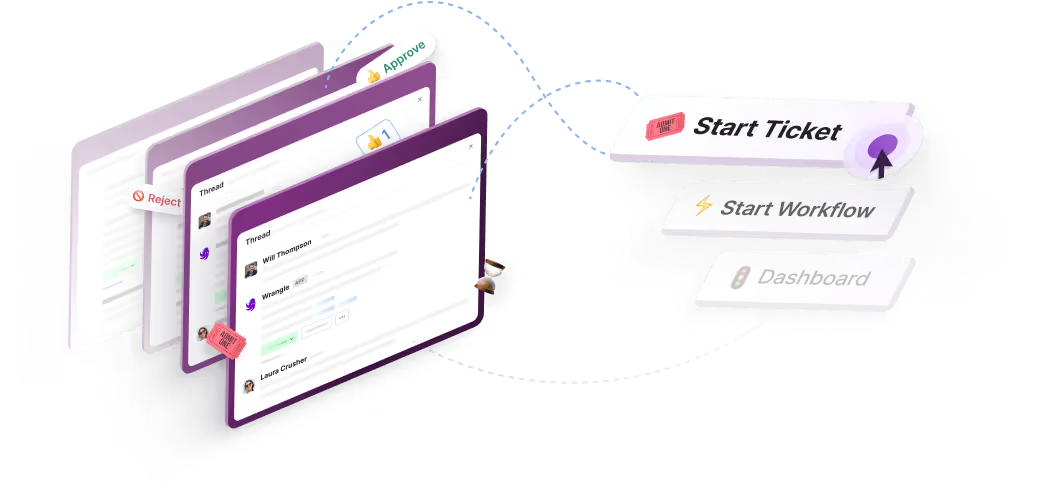
Wrangle helps teams track requests in Slack and Microsoft Teams. In Slack, it also supports no-code workflows and approvals for recurring processes like onboarding and access requests. It's AI-powered ticketing and workflow automation for internal and external teams across Slack, Microsoft Teams, and email.
A request gets captured, owned, tracked, and resolved inside the conversation where it was asked, with statuses, priorities, routing, SLAs, and reminders. Requesters never leave where they already work.
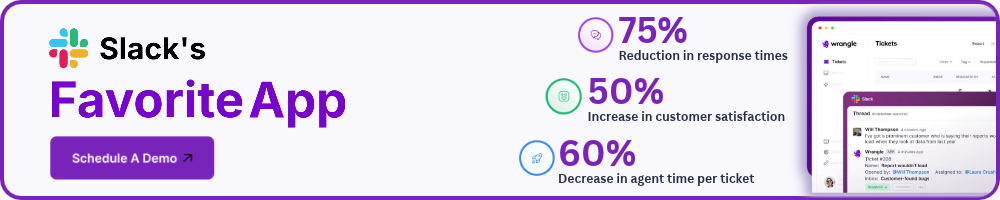
Wrangle reports customers have seen 60% faster ticket response times and a boost of 50% or more in customer satisfaction. In Slack, its AI deflects more than 75% of common questions before they reach a human agent.
Pick the chat platform that fits how your team works. Then add the layer that turns conversation into tracked, resolved work. See how Wrangle works across both Slack and Microsoft Teams.
Wrangle learns from your tickets and knowledge base to handleup to 75% of Slack questions automatically.


4.7 Average rating


Turn Slack into a productivity powerhouse with Wrangle
Create a scalable helpdesk in Slack. Automatically turn messages into trackable tickets and provide faster, more transparent service to your colleagues and customers with Wrangle — Try it free!
Wrangle learns from your tickets and knowledge base to handleup to 75% of Slack questions automatically.
4.7 Average rating