.svg)

Slack Integrations: The Top Picks for Business Teams
Explore top Slack integrations for ticketing, project management, developer tools, and scheduling to keep your team's work connected.


Your team already works in Slack. The problem is that half their work lives somewhere else: tickets in one system, tasks in another, pull requests in a third, meetings on a calendar nobody checks until the reminder fires. Every switch between those tools is a moment where a request gets dropped or a decision goes unrecorded.
Slack apps help close that gap by connecting the tools you already use to the channels where people talk. They bring updates, actions, and tracked work into Slack, reducing the need to switch between applications. This post covers useful apps in the Slack Marketplace, grouped by use case, and how to decide which ones to connect first.
What Makes a Slack App Worth Adding?
The best Slack apps cut context switching. When a task, a ticket, or a code review can be created and updated from the channel where it came up, people stop tabbing between applications and losing their place. Fewer switches mean fewer dropped requests.
A good app also keeps work visible. A request buried in a direct message is invisible to everyone else. A request that becomes a tracked item in a shared channel can be owned, prioritized, and followed by the whole team. Visibility is what keeps things from slipping through the cracks.
The app should also fit how the team already works. If people live in Slack, the tools that matter should meet them there, rather than forcing them to learn a portal or chase a process somewhere else.
Visibility is what keeps things from slipping through the cracks.
The Best Slack Apps for Business Teams
The list runs from the broadest use case to the most specialized: ticketing and helpdesk first, then project management, then developer tools, then communication and scheduling. Start where your team's requests actually get lost.
Wrangle: AI-Powered Ticketing and Workflow Automation
Wrangle helps teams track requests across Slack, Microsoft Teams, and email. It turns requests from any of those channels into tickets with owners, statuses, priorities, routing, and SLAs, and it suits IT, HR, operations, finance, and B2B support teams that need requests tracked and work completed without leaving Slack.
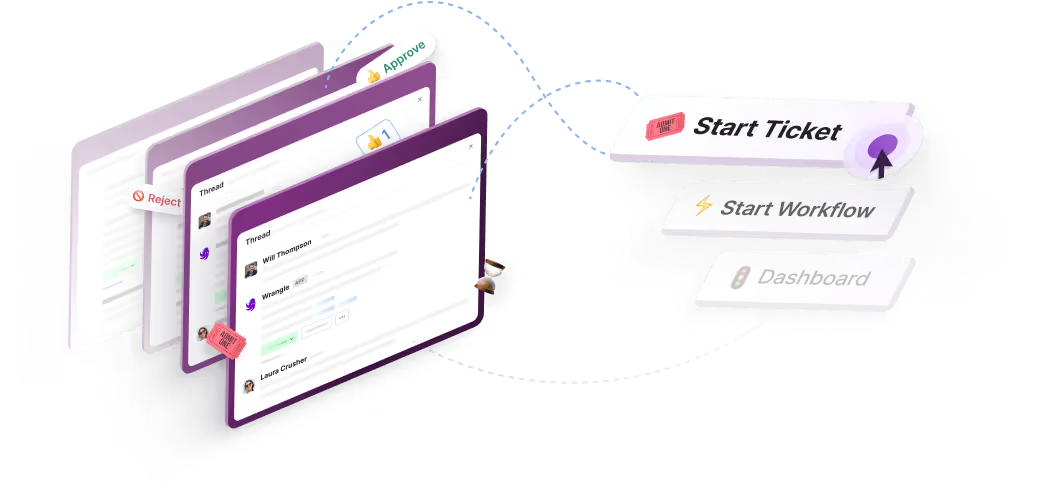
The core idea is conversational ticketing. A request is captured, owned, tracked, and resolved inside the conversation where it was asked, so the requester never has to find a help desk portal or look up a process.
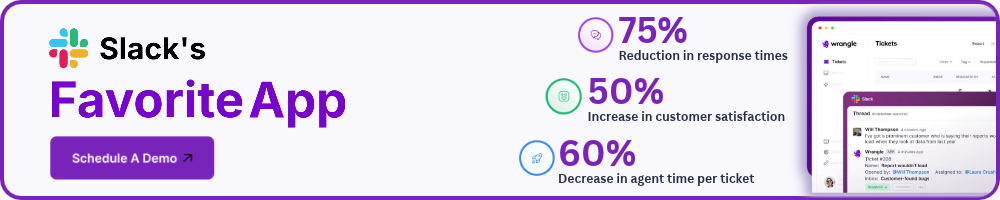
In Slack, when Wrangle AI can't resolve something from connected knowledge in Notion, web pages, or uploaded documents, the same thread becomes a tracked ticket and a person picks it up. Wrangle reports that its AI deflects more than 75% of common questions before they reach a human agent.
Wrangle also brings email support into Slack. Agents can reply to email requests from a Slack ticket thread; their replies go out by email, and customer replies return to that thread.
In Slack, Wrangle also handles the recurring processes that sit alongside day-to-day requests. Its no-code workflows and approvals cover onboarding, access requests, and purchasing, built from custom forms, assigned tasks, approval steps, and conditional routing. It coordinates the handoffs and records the decisions, so teams keep an audit trail without chasing people for updates.
For teams that build their own Slack automations, Wrangle describes itself as the only Slack-native ticketing tool with a native Slack Workflow Builder connector. Teams can use it to launch tickets and connect Wrangle to other apps within their existing workflows.
Slack has recognized Wrangle as an Essential App and featured it as a Top App multiple times. Wrangle was also one of 20 partners selected for the 2024 Slack AI launch.
Wrangle is built for teams whose requests live in conversation. If your bottleneck is somewhere other than inbound requests and recurring processes, one of the specialized tools below may fit that job better.
Explore Wrangle in the Slack Marketplace, or try Wrangle free to bring ticketing and workflow automation into the channels your team already uses.
Jira: Issue and Project Tracking
Jira is issue and project tracking used by software and cross-functional teams. Its Slack integration lets users create issues from a Slack conversation and then transition, assign, comment on, and watch them without opening Jira, and it can post updates back to a channel when issues are created, updated, transitioned, or commented on, filtered by issue type and priority.
It suits teams that run their delivery work in Jira and want that activity surfaced where discussion happens. You install the Jira Cloud for Slack app from the Slack Marketplace to connect the two.
Asana: Project and Task Management
Asana is project and task management for teams coordinating work across projects. Its Slack integration lets you create an Asana task from any Slack message, pull project notifications into a channel, and take action on tasks you're assigned or @mentioned in, all from within Slack. It suits teams that plan work in Asana but talk about it in Slack, and want the two to stay in sync.
Trello: Card-Based Task Tracking
Trello is card-based task tracking organized around boards and lists. Its Slack integration turns a Slack message into a Trello card in a few ways, through Slack's "Save for later," an emoji reaction, or the "Create card from message" action, and it can forward messages to a Trello Inbox where they appear as new cards to sort.
It suits smaller teams and projects that want a lightweight, visual way to capture work out of conversation.
ClickUp: Task, Doc, and Goal Management
ClickUp is all-in-one task, doc, and goal management. Its Slack integration lets you create tasks from channels or direct messages, add a Slack message as a comment on an existing task, and set up channel-specific syncs so stakeholders see updates, and pasting a ClickUp link into Slack shows a preview with the status, assignee, and priority.
The integration is available on every ClickUp plan. It suits teams that consolidate tasks, docs, and goals in one place and want Slack feeding into it.
GitHub: Code Repository and Review
GitHub is a code repository and review platform. Its Slack integration notifies a channel about opened, closed, and reopened issues, new and merged pull requests, new commits on the default branch, published releases, and deployment status, with additional events like PR reviews and Actions workflow runs available.
Subscriptions are set per channel with the /github subscribe command, so one channel can focus on pull requests and another on deployments.
It suits engineering teams that want repository activity in the channels where developers already work.
Zoom: Video Conferencing
Zoom is video conferencing for meetings and calls. Its Slack integration is intended to let users start or schedule meetings directly from a message, keeping the jump from conversation to call inside Slack. It suits teams that meet often and want to launch calls without leaving a channel.
Google Calendar: Calendar and Scheduling
Google Calendar is calendar and scheduling. Its Slack integration is intended to surface meeting reminders and set a user's Slack status automatically based on calendar events, so people know who's in a meeting without asking. It suits teams that want schedule awareness inside Slack.
How to Choose the Right Slack Apps
Start with the use case, not the feature list. The question isn't which tool has the most Slack features, it's what kind of work your team keeps losing. Name the problem first, then find the app that fits it.
Match the app to where requests actually get lost. If inbound questions and recurring processes are what slip away in busy channels, a ticketing and workflow app belongs at the top of your list. If it's engineering activity or project status, a developer or project-management app earns its place first.
Consider whether the app lets you work inside Slack or only sends notifications to it. Some apps let you create, own, and resolve work right in the conversation. Others only push alerts into a channel, which keeps you informed but still sends you elsewhere to act. The deeper the integration, the fewer switches your team makes.
One common question is whether Salesforce integrates with Slack. It does, through a native integration, but whether it belongs in your stack depends on whether sales pipeline visibility is what's getting lost in Slack. Apply the same test to every tool here: add it when it closes a gap your team actually feels.
Wrangle learns from your tickets and knowledge base to handleup to 75% of Slack questions automatically.


4.7 Average rating


Turn Slack into a productivity powerhouse with Wrangle
Create a scalable helpdesk in Slack. Automatically turn messages into trackable tickets and provide faster, more transparent service to your colleagues and customers with Wrangle — Try it free!
Wrangle learns from your tickets and knowledge base to handleup to 75% of Slack questions automatically.
4.7 Average rating