.svg)

Spring Feature Drop
Custom AI prompts, scheduled automated reports, bulk actions, smart notifications, dynamic forms, Teams updates, and more.

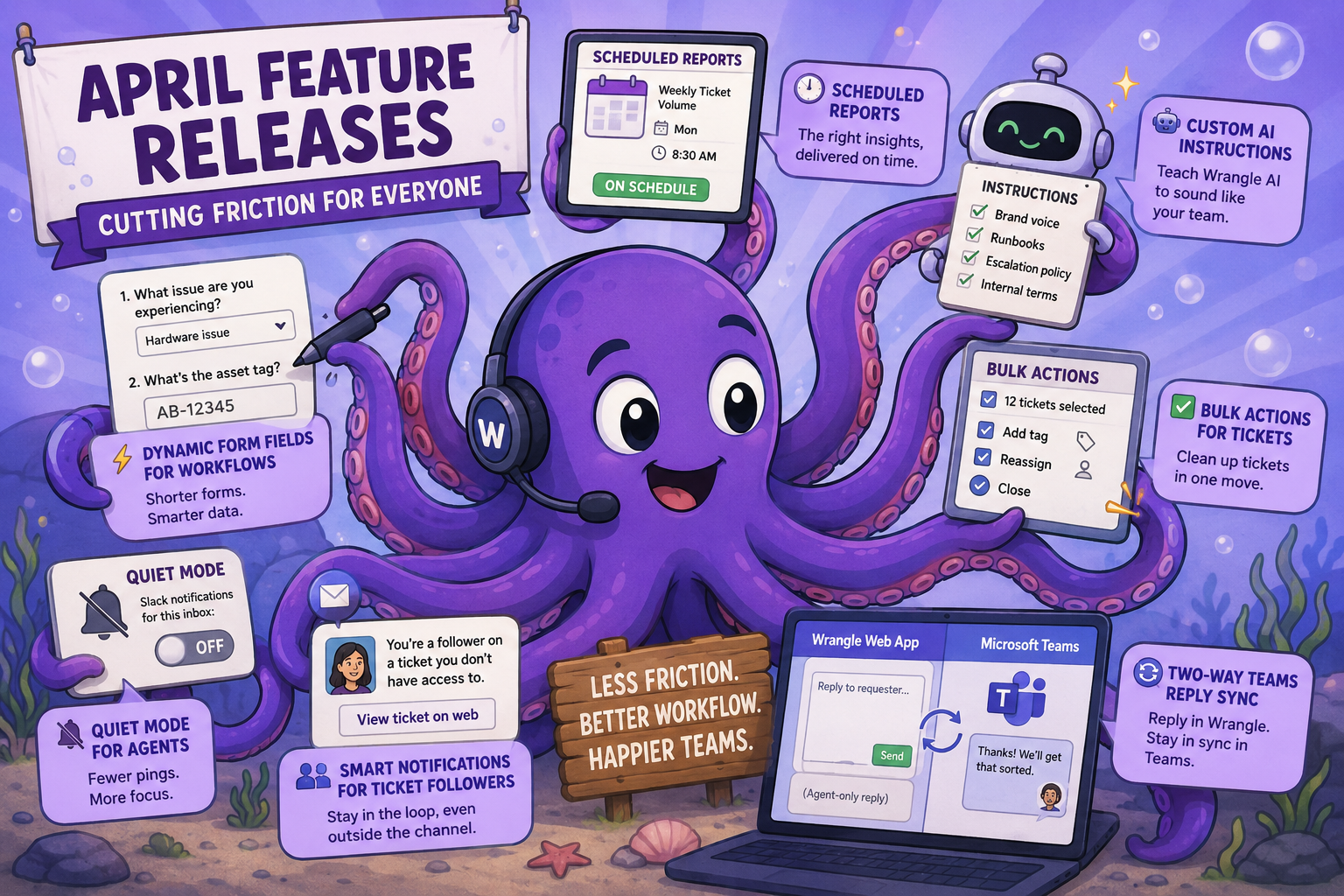
This release is all about cutting friction - for the requesters filling out your forms, the agents working your queues, and the stakeholders keeping tabs on tickets. We've made forms shorter with dynamic form fields for workflows, quieted noisy inboxes with quiet mode for agents, and given you finer control over Wrangle AI's voice with custom AI instructions.
You'll also find scheduled automated reports, bulk actions for cleaning up tickets in one move, smart notifications that keep ticket followers in the loop even when they're not in the private channel, and two-way Teams reply sync for agents working from the Wrangle web app.
⚡Dynamic form fields for workflows
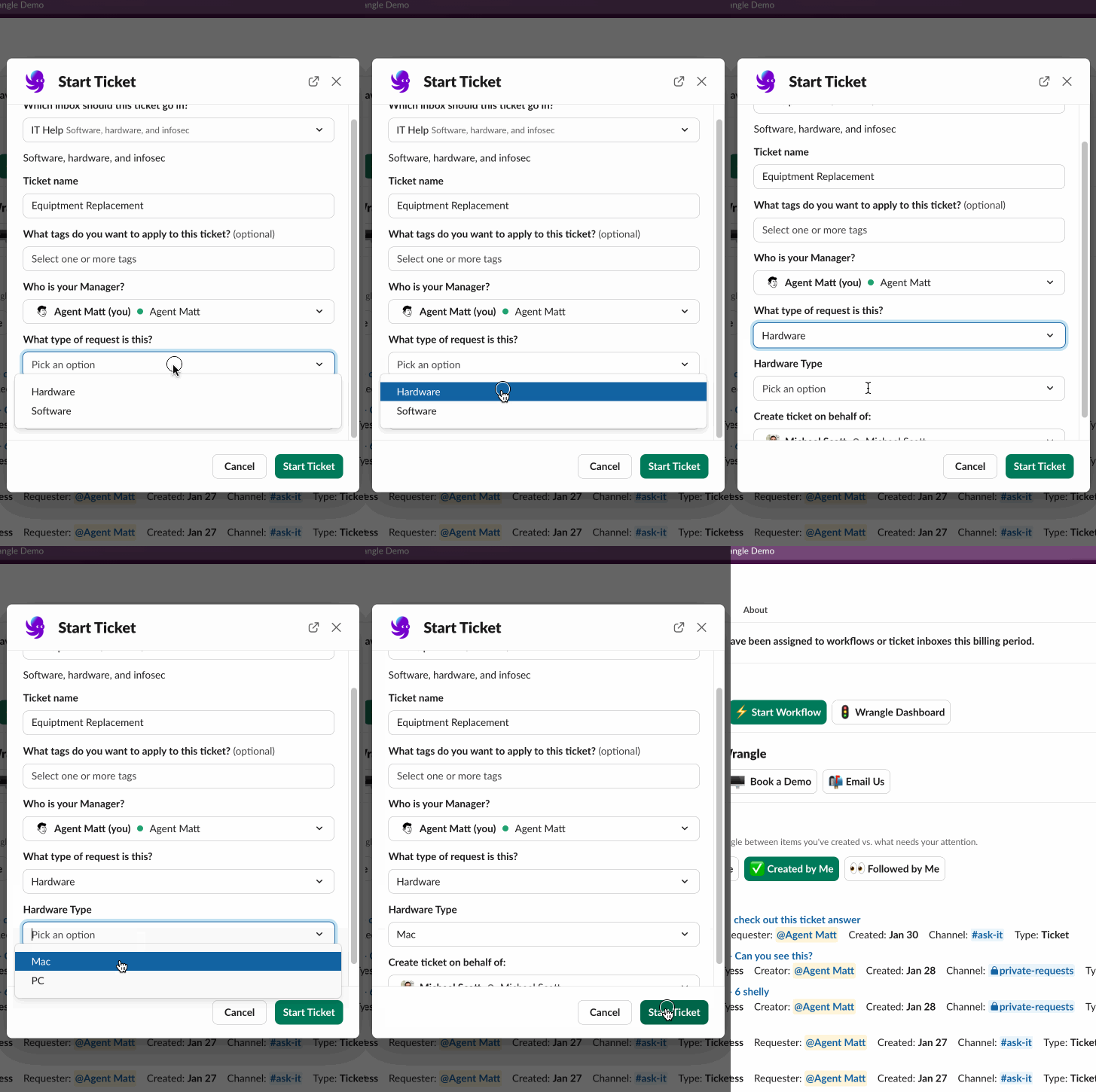
Stop asking your requesters questions that don't apply to them. Similar to dynamic form fields for ticketing, you can now show or hide workflow form fields based on earlier answers. So on an IT help desk form, "What's the asset tag?" only appears when someone selects "hardware issue." Shorter forms for your team, cleaner data for your reports.
🕐 Scheduled reports
Set the exact day and time your automated reports are delivered to Slack. Want your weekly ticket volume report in your inbox at 8:30am Monday, right before your team standup? Head to the reporting automations page to dial in your delivery schedule.

🤖 Custom AI instructions
Teach Wrangle AI to sound like your team. You can now append your own instructions to the prompt Wrangle uses when drafting replies for AI Ticket Deflection. Internal terminology, escalation policies, brand voice, links to specific runbooks - so Wrangle AI’s replies are even more like a member of your help desk.

✅ Bulk actions for tickets
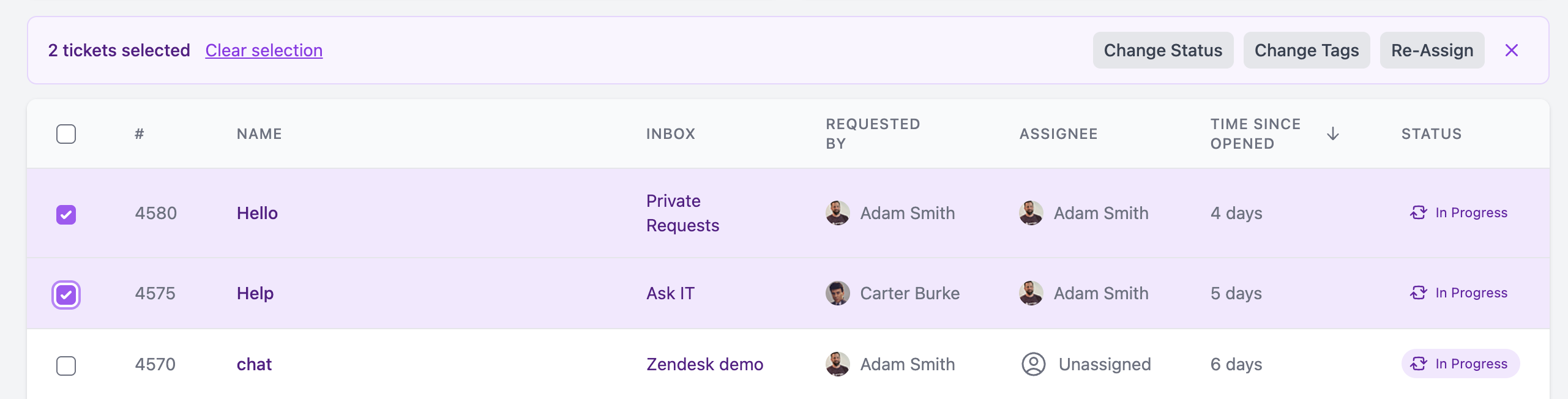
Cleaning up your tags, or reassigning an agent's open queue when they're out unexpectedly? Select multiple tickets from the dashboard and update them all in one move, instead of clicking through them one at a time.
👪 Smart notifications for ticket followers
Wrangle now checks private Slack channel membership when followers are added to a ticket. If a follower doesn't have access to the channel where the ticket lives - say, an HR director keeping tabs on a sensitive employee request - they'll get a direct notification with a link to view the ticket on the web. No more silent gaps for stakeholders who need visibility.
🔄 Two-way Teams reply sync
Teams agents who work primarily in the Wrangle web app can now reply from the dashboard and have those replies sync directly back to the Teams ticket thread - no more bouncing between tabs to keep the conversation in one place. Agents can also post agent-only replies from the web that stay invisible to the requester.
🔇Quiet mode for agents
Inboxes can now be configured to skip Slack notifications for ticket updates. If your agents live in the web app dashboard already, this is an easy way to cut down the noise and let them focus on the queue.
More to come
Stay tuned! There's more where that came from. Send your thoughts and feedback our way!
Wrangle learns from your tickets and knowledge base to handleup to 75% of Slack questions automatically.


4.7 Average rating


Turn Slack into a productivity powerhouse with Wrangle
Create a scalable helpdesk in Slack. Automatically turn messages into trackable tickets and provide faster, more transparent service to your colleagues and customers with Wrangle — Try it free!
Wrangle learns from your tickets and knowledge base to handleup to 75% of Slack questions automatically.
4.7 Average rating