.svg)

Summer Product Updates: Sharper Reporting and Smoother Ticket Intake
Huge feature drop with report comparisons, tag analytics, native file previews, and easier email ticket intake.


With this update, we're making it easier to understand what's happening across your ticket queues and bring new requests into Wrangle without interrupting the conversation. You can now compare performance across time periods, see which tags your teams actually use, preview uploaded files consistently, and create a ticket simply by cc'ing Wrangle on an email.
Here's everything that's new.
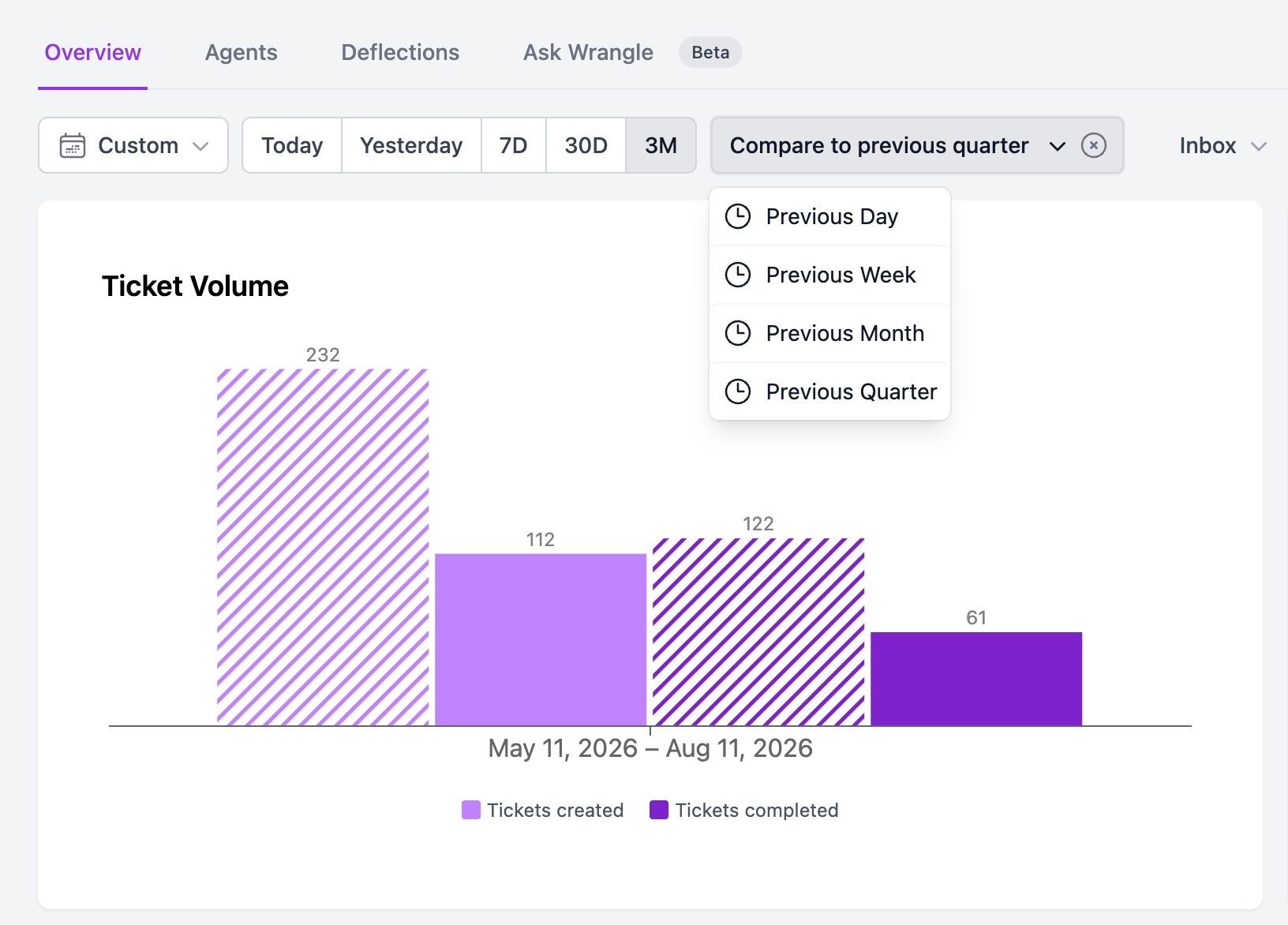
📊 Compare ticket reports across time periods
Want to know how this week stacked up against last week? This quarter vs. the one before? Now you can build visual ticket reports that compare any two time periods side by side, so trends (and regressions) jump off the page. Perfect for the weekly team review, the monthly leadership update, or that QBR slide you've been dreading.
🏷️ See which ticket tags get used most
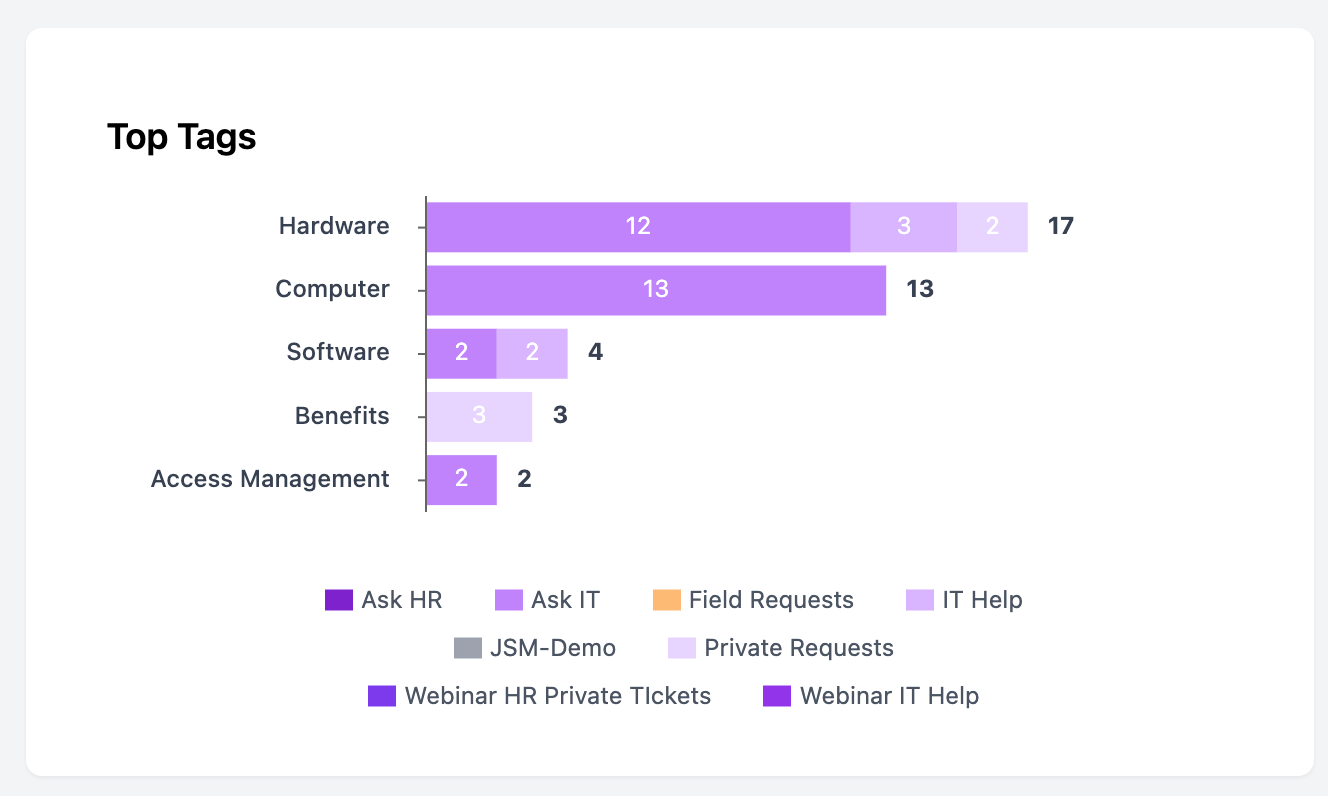
Ticket tag usage reports give you a clear view of which tags are used frequently and which ones haven't been touched in months. Filter the report by inbox to compare the categories driving volume in your IT help desk, HR queue, or any other team’s workflow.
It's a simple way to spot tag sprawl, understand what requesters need most, and clean up your inboxes with confidence.
📎 Native file previews from the web app
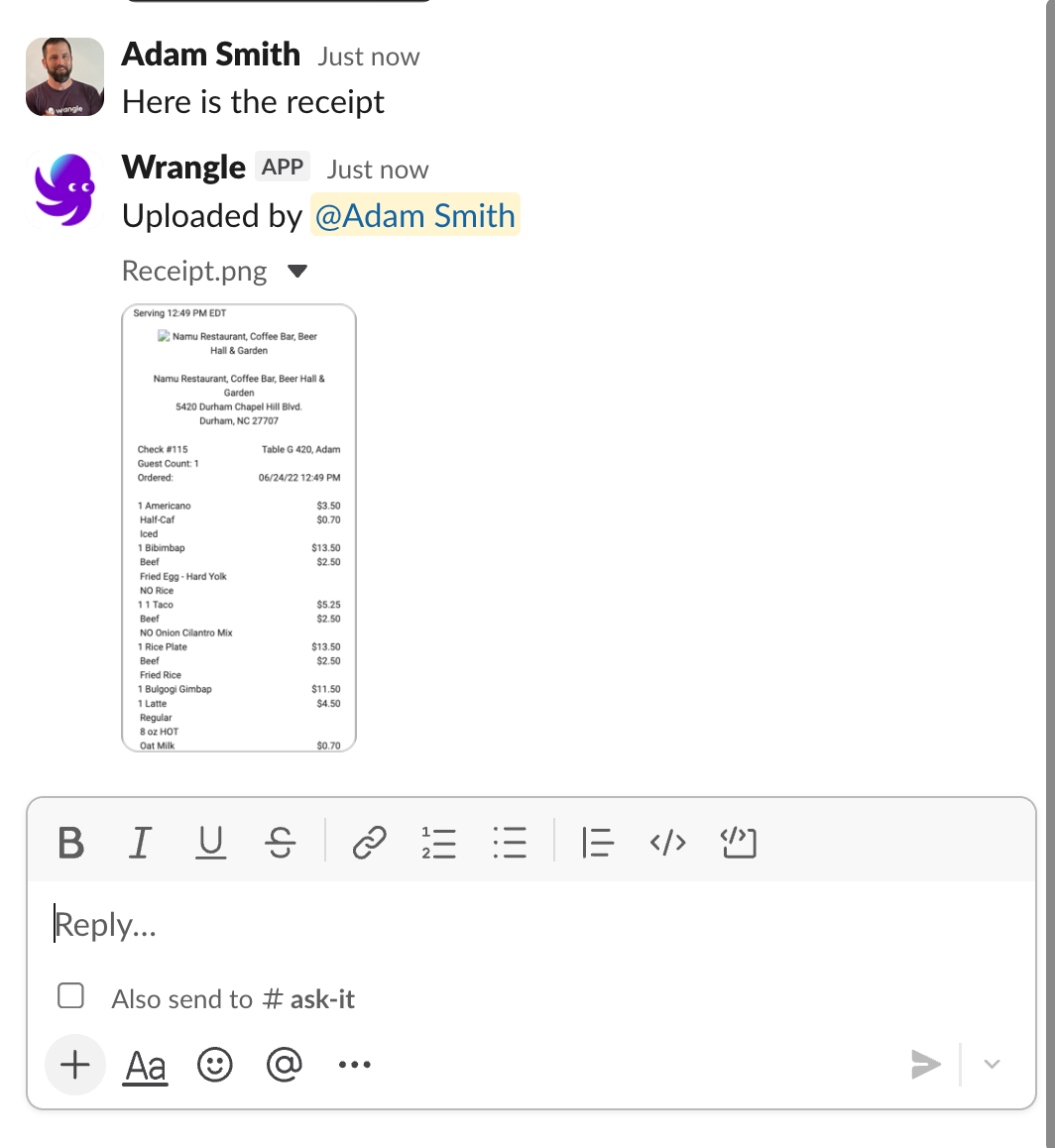
If your agents work primarily in the Wrangle web app, file uploads attached to tickets will now render as native Slack previews - exactly the same way uploads from Slack already do. One consistent, polished experience for agents and requesters, no matter where an attachment originated.
✉️ Create a ticket by cc'ing Wrangle
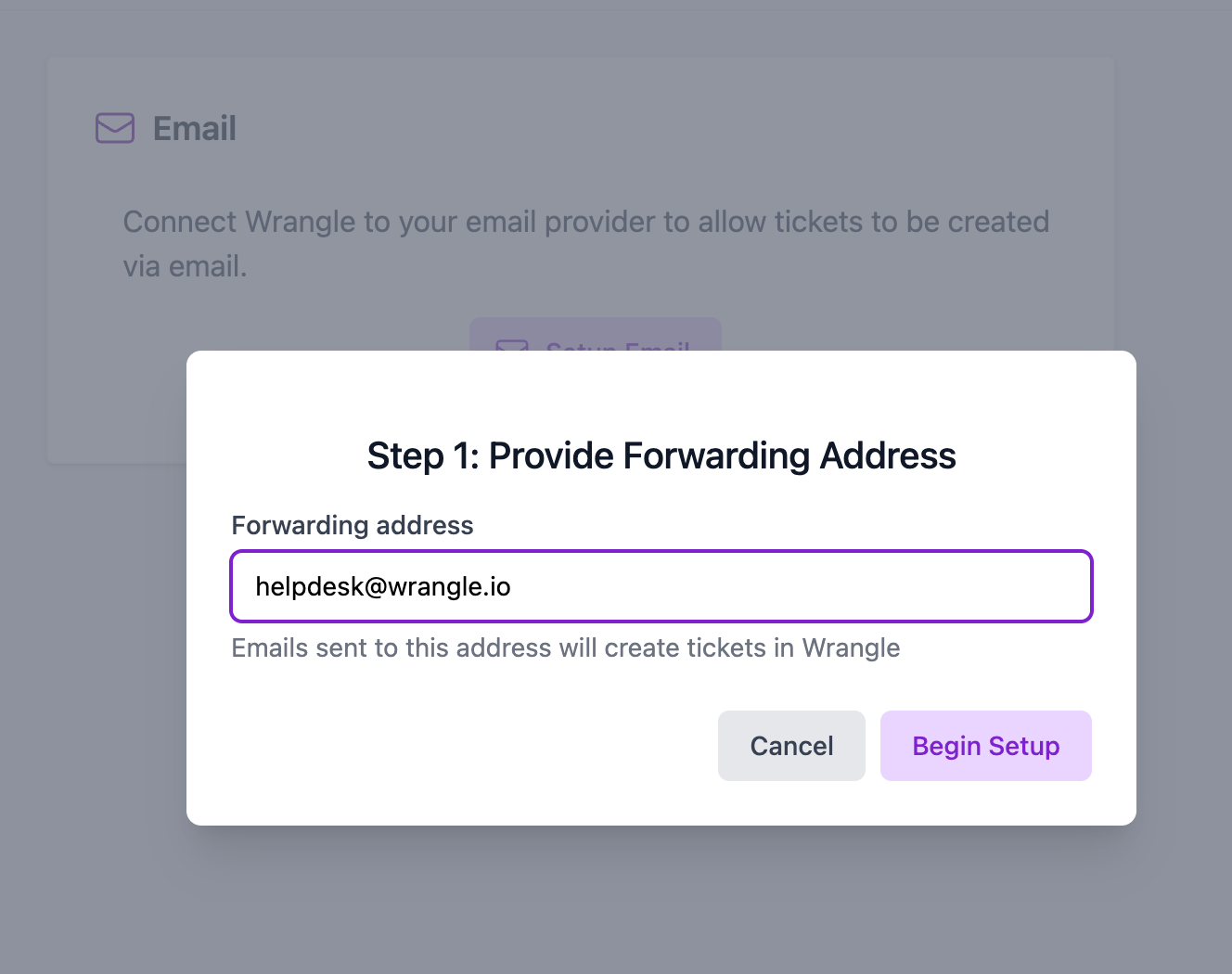
Sometimes the easiest way to bring support into a conversation is just to cc it. Building on Wrangle's ability to turn emails automatically turn into Wrangle tickets in Slack and then reply to them in Slack threads, you can now create tickets by cc'ing your linked Wrangle intake email address. There's no need to forward the message, rewrite the request, or start a new conversation. A great enhancement for pulling in support midway through a back-and-forth with a vendor, partner, or customer.
And more on the way!
Taken together, these updates give teams a clearer view of their operations while making it easier for requesters to get help without breaking the flow of work. Whether you're analyzing trends, cleaning up your ticket data, or bringing Wrangle into an email conversation, every improvement is designed to make support feel simpler and more connected. There's plenty more on the way as we continue making Wrangle the easiest place to manage requests across your organization. Stay tuned!
Wrangle learns from your tickets and knowledge base to handleup to 75% of Slack questions automatically.


4.7 Average rating


Turn Slack into a productivity powerhouse with Wrangle
Create a scalable helpdesk in Slack. Automatically turn messages into trackable tickets and provide faster, more transparent service to your colleagues and customers with Wrangle — Try it free!
Wrangle learns from your tickets and knowledge base to handleup to 75% of Slack questions automatically.
4.7 Average rating