.svg)

Wrangle Product Updates: AI Visibility, Broadcasts, Flexible Working Hours, Automated Reporting & More
AI deflection visibility, flexible working hours, Slack broadcasts, confidential inboxes, inbox-level reporting, and Jira Service Management syncing.

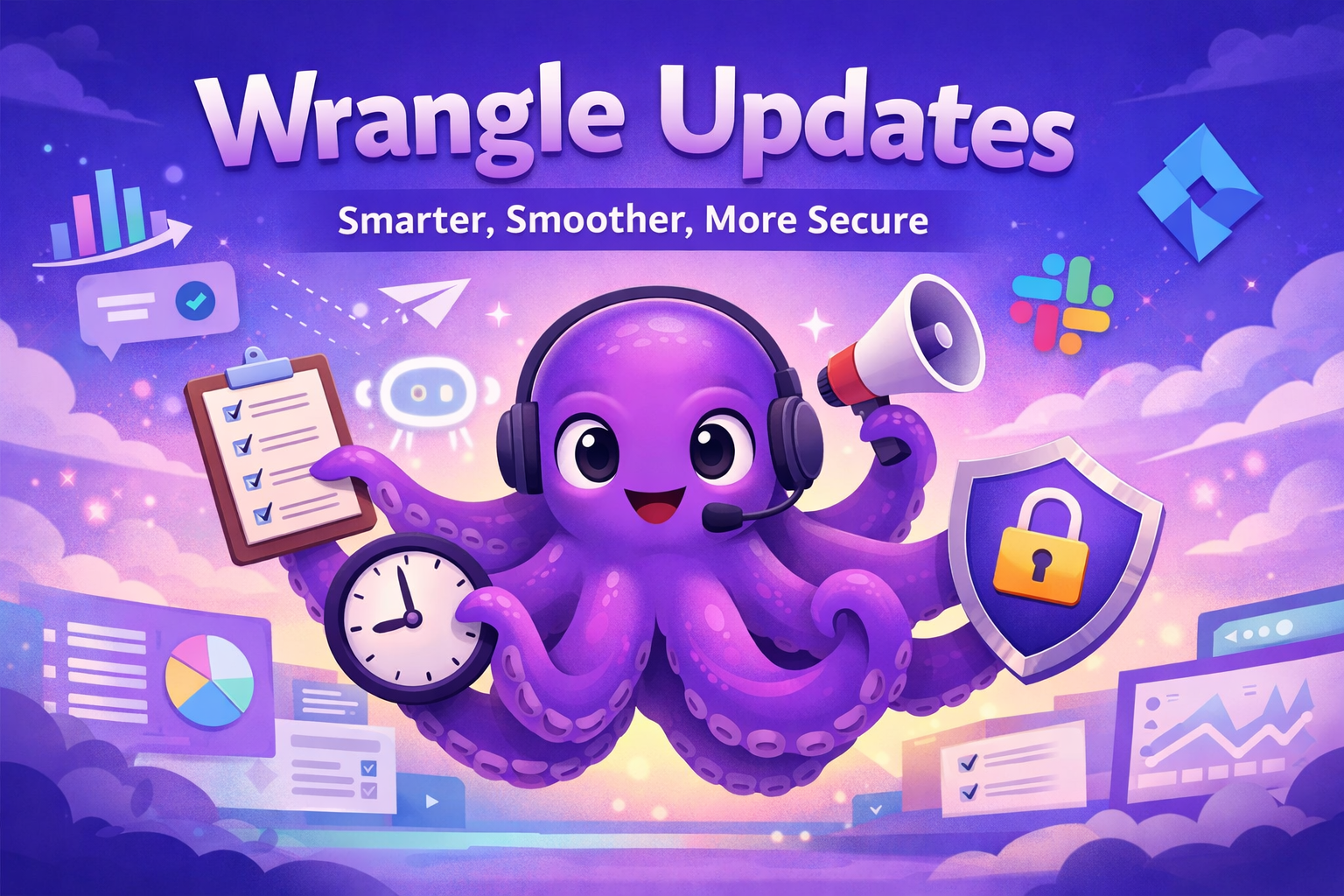
This release is all about making Wrangle smarter, more transparent, and easier to operate for modern teams. From deeper visibility into AI ticket deflections to flexible working hours for individual teams and users, these updates help organizations automate more work while giving agents the context they need.
We’ve also introduced Slack Broadcasts for faster announcements across multiple channels, confidential inboxes for sensitive workflows, improved Automated Reporting in Slack, and more flexible Jira Service Management syncing—so your support operations can run smoothly across tools, teams, and time zones. 🚀
🕒 Flexible working hours for distributed teams
Wrangle already uses working hours to power SLAs, auto-assignment, and reporting. Now it’s even more flexible.
You can now set working hours at the user and team level, making Wrangle a better fit for global, distributed teams with different schedules.
Manage everything from the working hours settings page.

🤖 More AI Transparency: see every response
When Wrangle AI helps answer a question, your agents should know what happened.
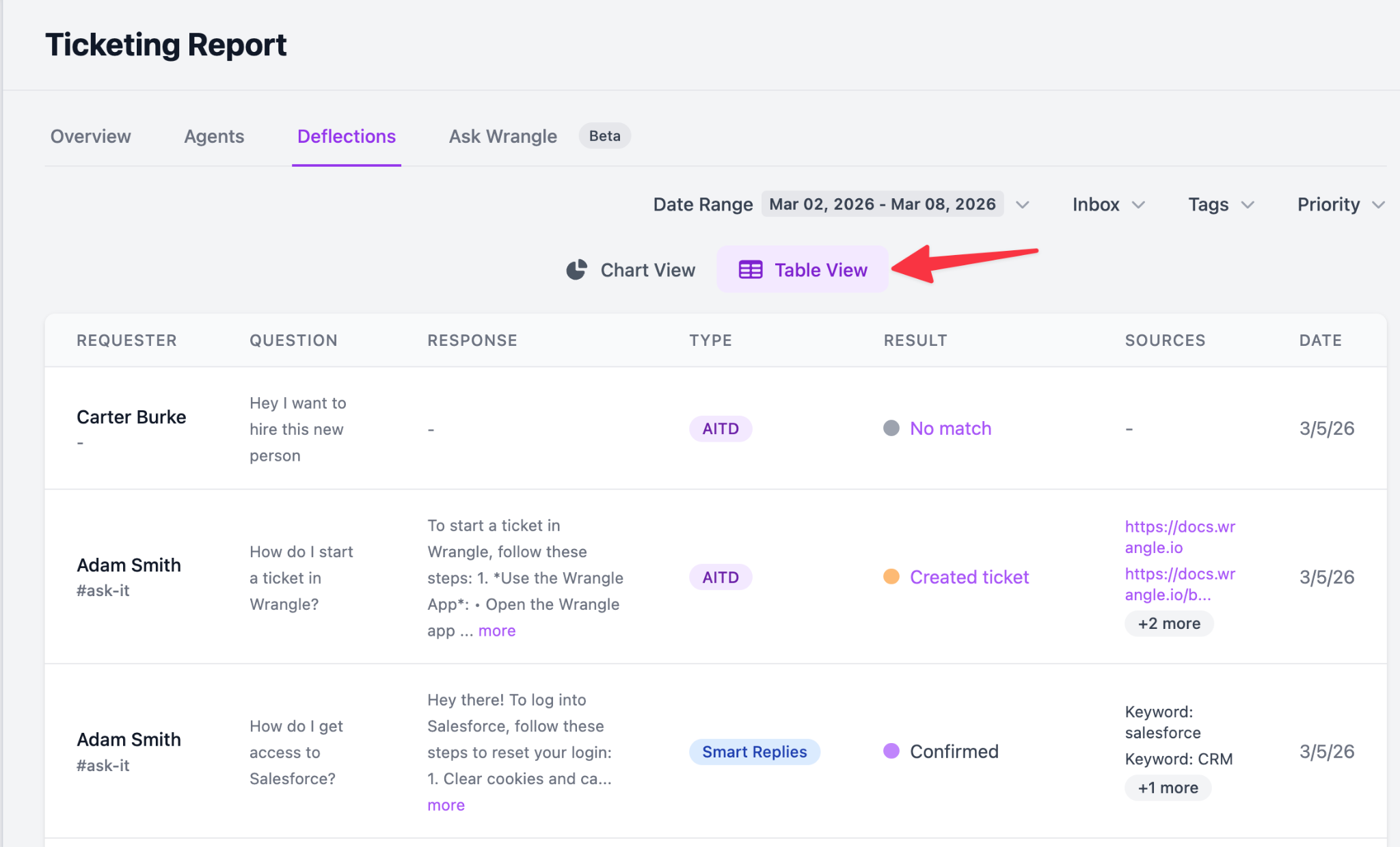
Now, when a ticket is created after an AI Ticket Deflection or Smart Reply, agents can see the exact responses that were shown; right inside the ticket. No guesswork, no missing context.
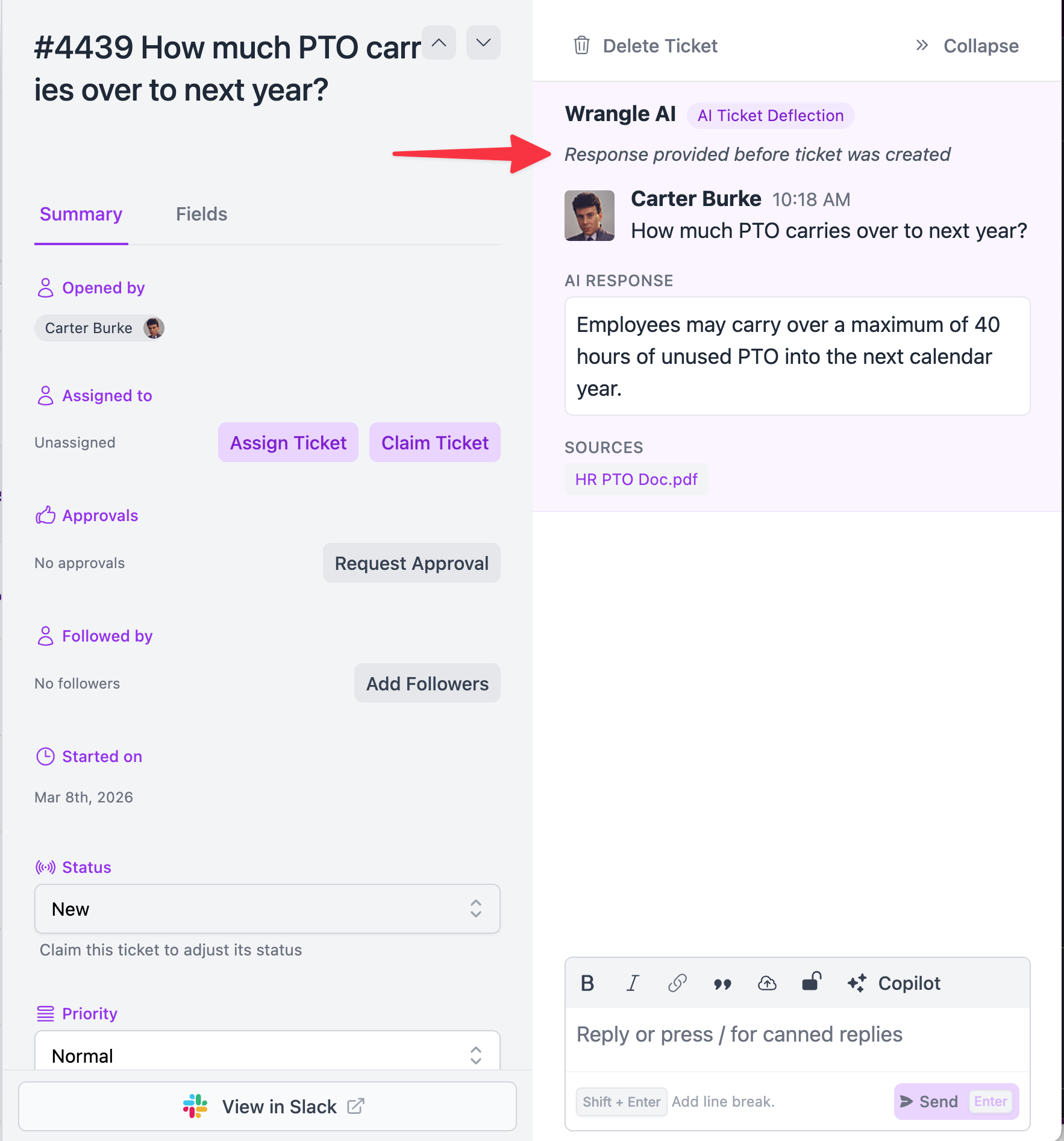
We’ve also added a new Deflections view to your ticketing dashboard so you can:
- Identify which AI answers led to tickets
- Improve your knowledge base faster
- Reduce repeat questions and agent workload
Dive deeper on the Deflection Reporting page and switch between Chart and Table views to explore questions, channels, and AI responses.
📣 Broadcasts: Announcements made easy in Slack
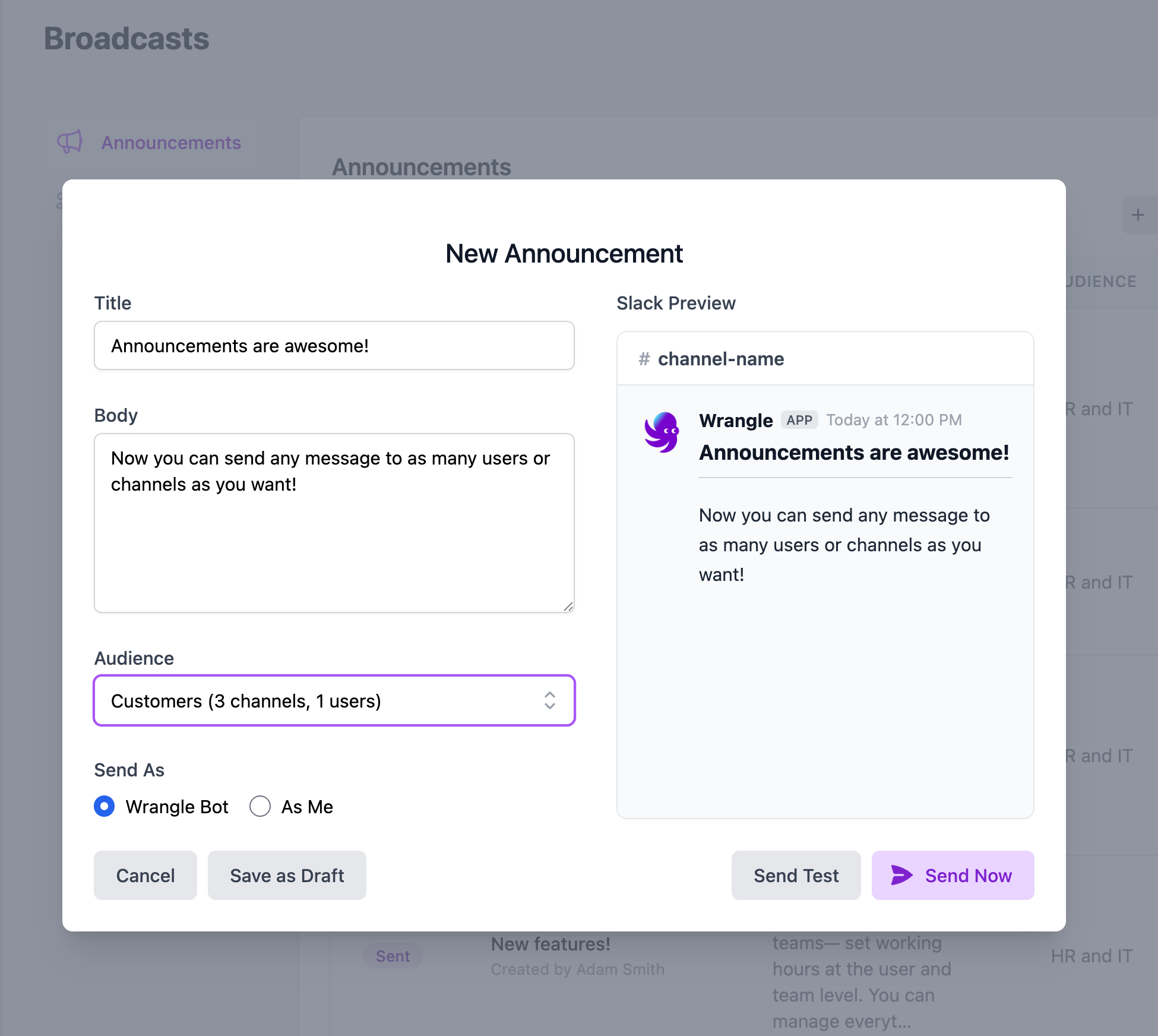
Need to notify customers about an incident? Share updates with the same internal teams over and over?
Now you can stop cutting and pasting into each channel.
With Broadcasts, you can define an audience once and reuse it whenever you need—sending consistent announcements across Slack without rebuilding lists each time.
🔒 Confidential inboxes for sensitive work
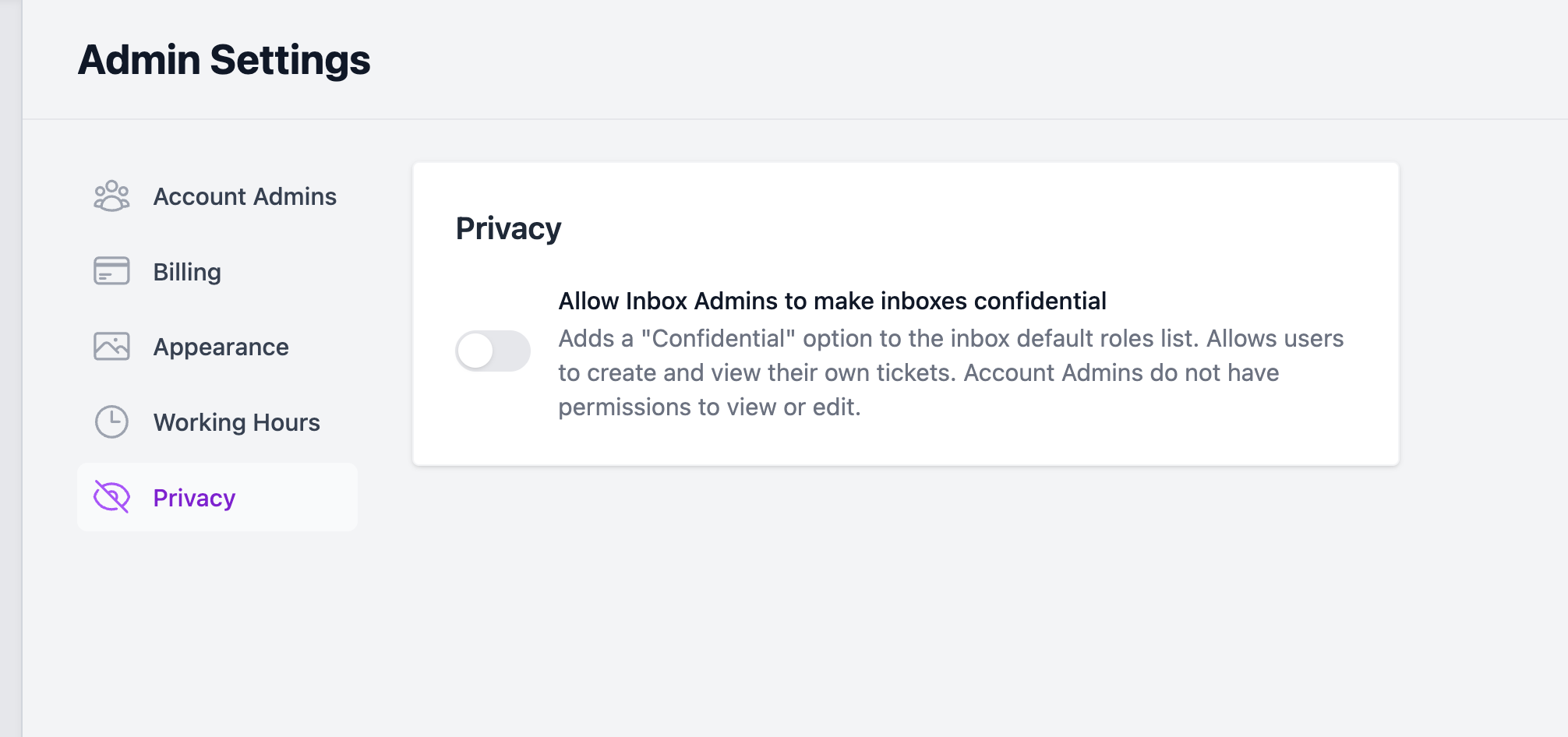
Some conversations shouldn’t be visible to everyone - even admins.
We’ve introduced Confidential inboxes, designed for teams handling sensitive information like HR, legal, or executive requests.
Account admins can enable this via Admin Settings → Privacy. Once enabled, inbox admins can mark an inbox as Confidential, hiding its contents from everyone, including account admins.
📊 Automated reports - now filterable by inbox
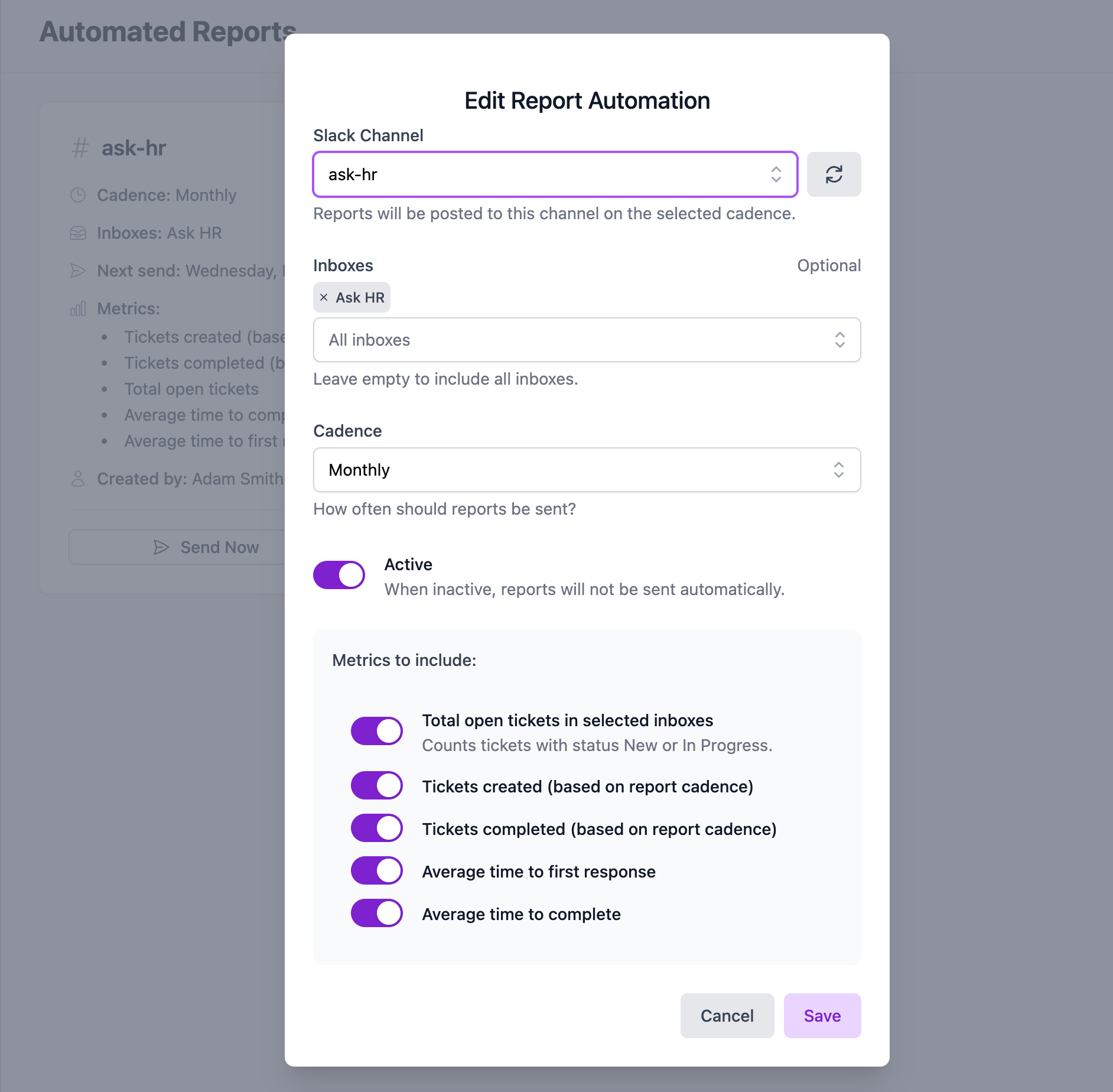
Your reports should reflect how your teams actually work.
Just pick your Wrangle inbox, the Slack channel you want to send reports to, and the frequency (daily/weekly/monthly), and Wrangle will send activity reports to you directly in Slack.
Set this up on the Automated Reports page.
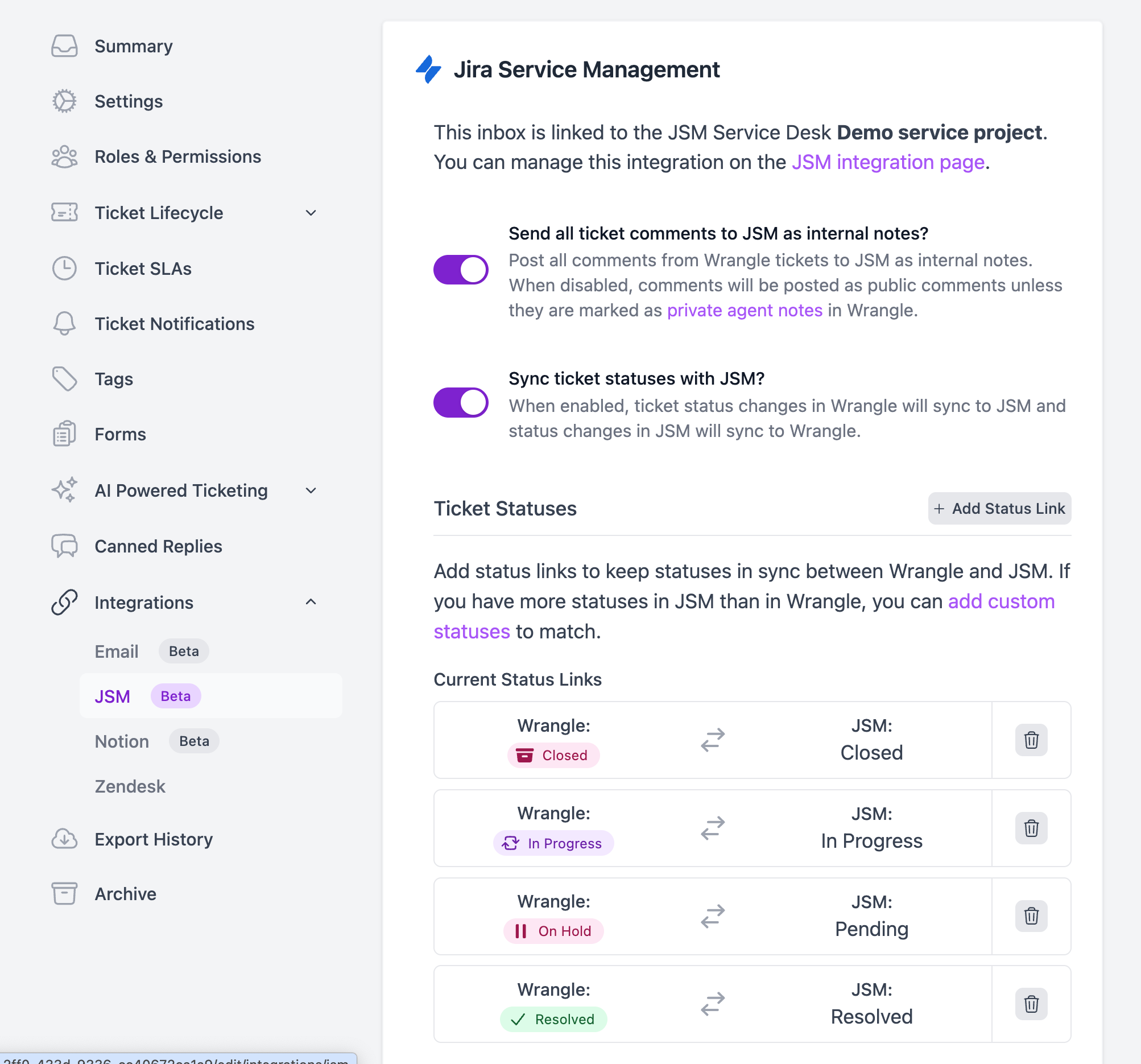
🔄 Jira Service Management status syncing
Managing tickets across multiple systems is hard enough; status mismatches shouldn’t slow you down.
Wrangle now lets you choose exactly which statuses stay in sync between Wrangle tickets and linked Jira Service Management tickets.
To enable it, open any inbox linked to JSM and go to Integrations → JSM, where you can turn on syncing and map statuses to match your workflow.
Learn more about using Wrangle with JSM.
🚀 More to come!
2026 is starting off strong! Check out our January announcement on 12 Powerful Wrangle Updates we kicked off the year with and stay tuned for big announcements coming on Email and Microsoft Teams!
Wrangle learns from your tickets and knowledge base to handleup to 75% of Slack questions automatically.


4.7 Average rating


Turn Slack into a productivity powerhouse with Wrangle
Create a scalable helpdesk in Slack. Automatically turn messages into trackable tickets and provide faster, more transparent service to your colleagues and customers with Wrangle — Try it free!
Wrangle learns from your tickets and knowledge base to handleup to 75% of Slack questions automatically.
4.7 Average rating