.svg)

🎉 Kick off the Year Strong: 12 Powerful Wrangle Updates to Start 2026
We’re rolling out one of our biggest batches of improvements yet. These updates span reporting, AI, workflows, approvals, and ticket lifecycle automation.


✨ What’s New in Wrangle
As we wrap up the year and look ahead to an exciting 2026, we’re rolling out one of our biggest batches of improvements yet. These updates span reporting, AI, workflows, approvals, and ticket lifecycle automation—designed to help your team move faster with less overhead.
Here’s what’s new 👇
📊 Automated Reports Delivered to Slack
Your metrics—automatically, where your team already works.
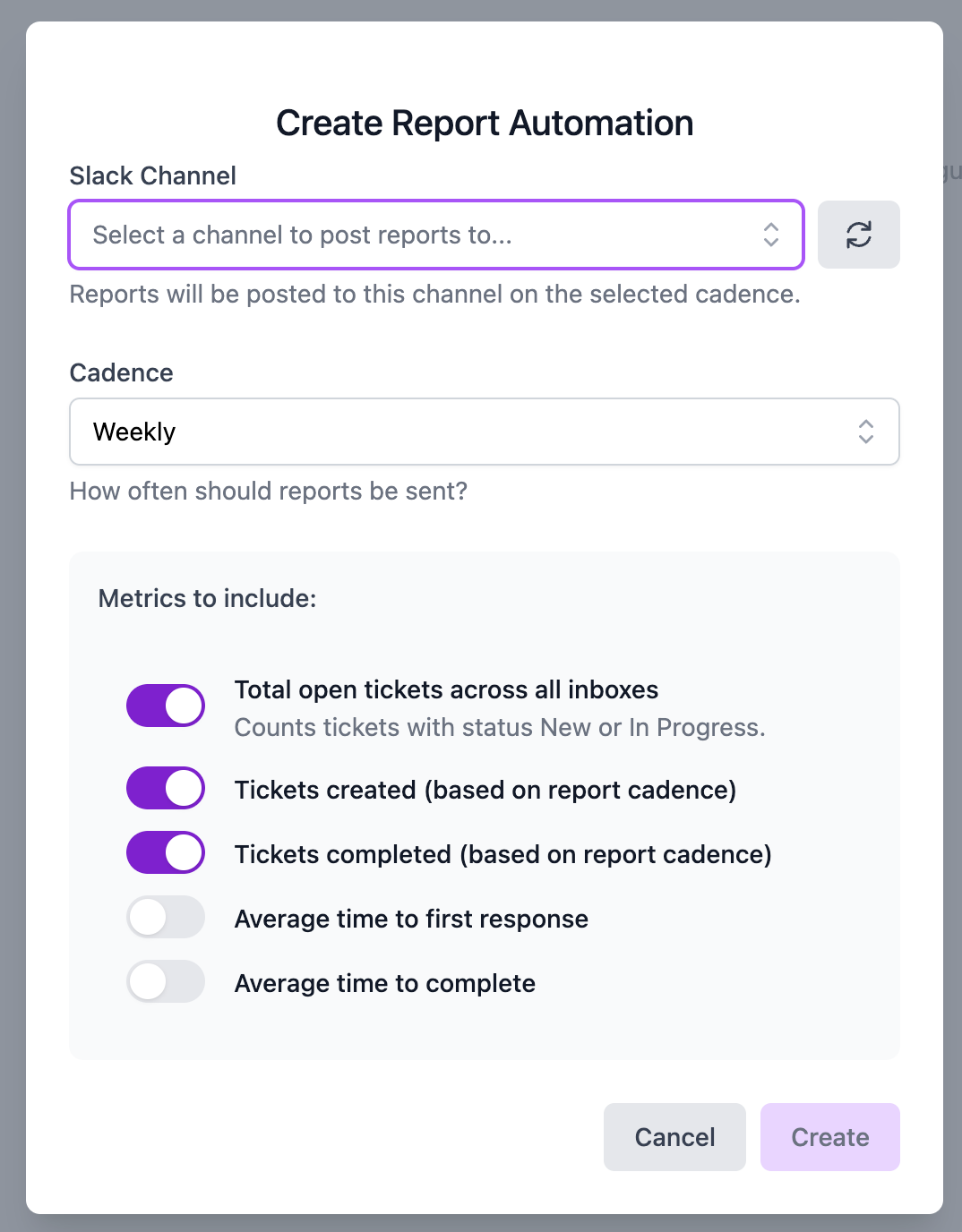
You can now schedule automated reports to post directly into a Slack channel of your choice. Pick the KPIs that matter most (volume, SLAs, response times, and more), choose a cadence, and Wrangle will keep everyone in the loop automatically.
🚀 Expanded AI Controls (Tone + Verbosity)
Your AI, your voice.
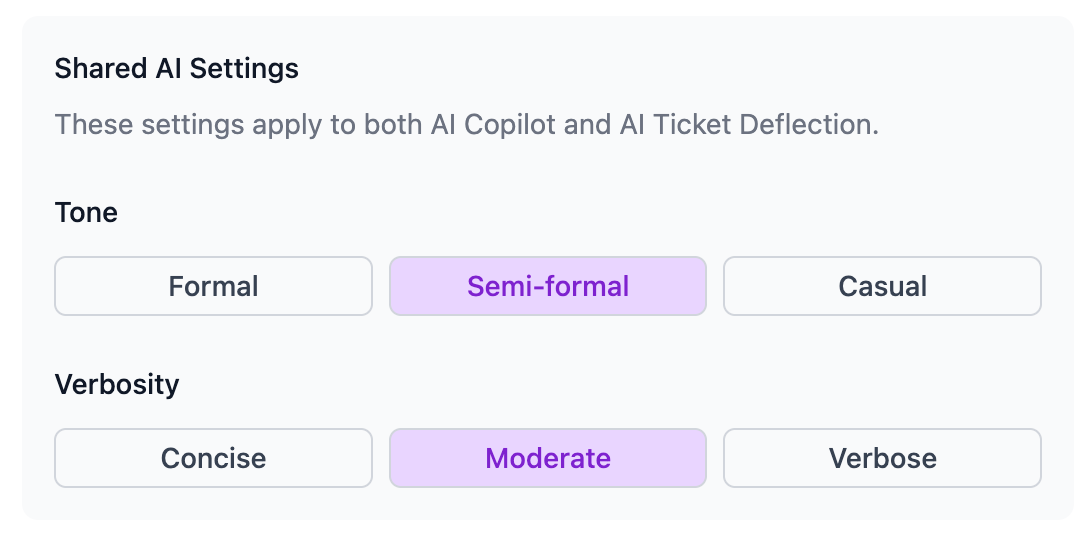
You can now fine-tune both tone and verbosity for AI Ticket Deflection and AI Copilot.
Prefer concise and professional? Friendly and detailed? You’re in control—so AI responses align perfectly with your brand and support style.
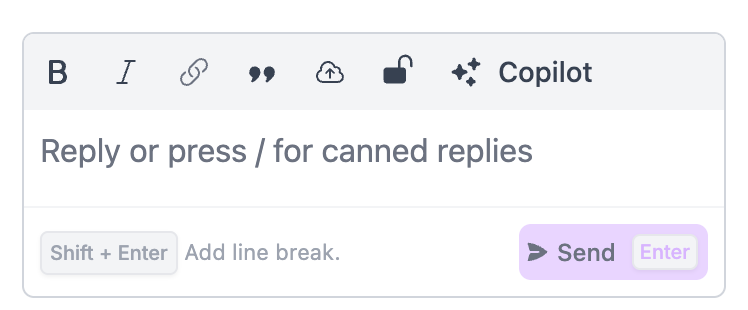
🖊️ AI Copilot—Now Easier to Access
Drafting replies just got even faster.
We’ve added a new AI Copilot button directly inside the web-based ticket view, so agents can generate responses with one click. Less friction, faster replies, happier customers. See how AI Copilot works.
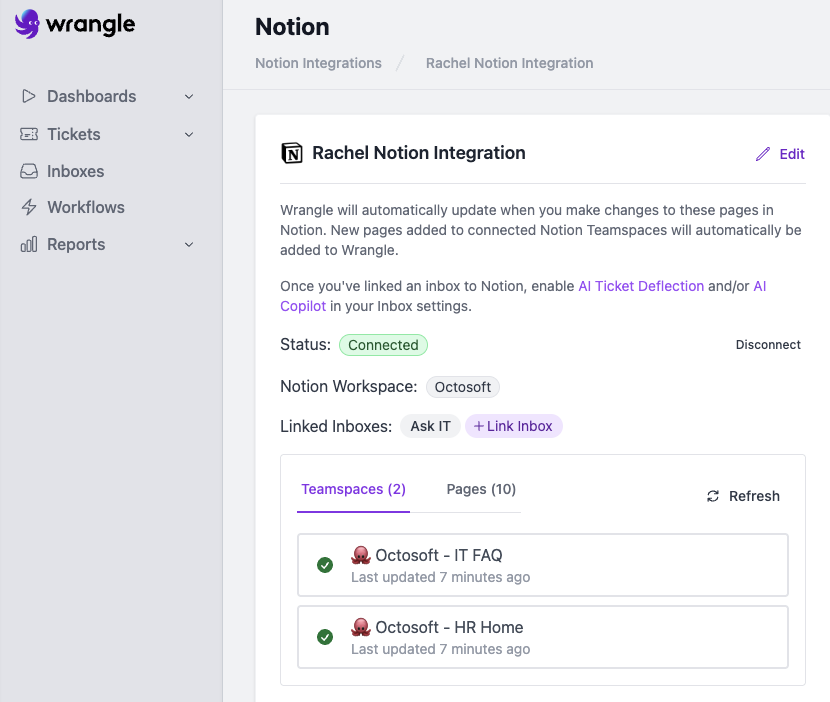
📚 New Notion Knowledge Base Integration
Your Notion docs just became frontline support heroes.
Wrangle now integrates with Notion (docs), allowing your KB content to power both AI Ticket Deflection and AI Copilot.
That means better answers, fewer tickets, and AI that actually understands your internal documentation.
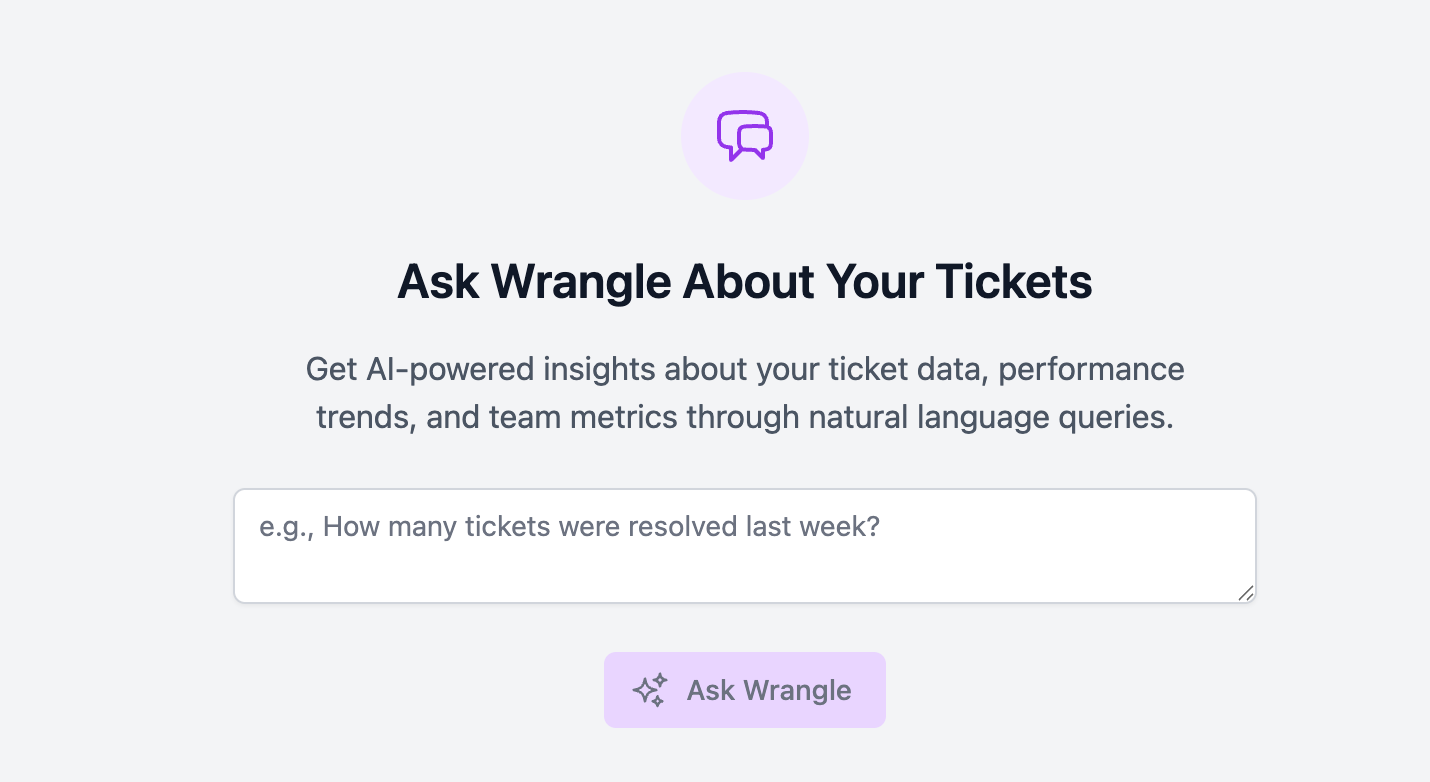
🤖 Ask Wrangle AI: Ticket Insights in Plain English
No SQL. No dashboards. Just Instant insights with zero digging.
You can now ask Wrangle AI questions about your tickets in plain English:
- “How many tickets related to infrastructure were opened last month?”
- “Show me trends by tag.”
- “How quickly were high priority tickets resolved last month vs the month before?”
Learn more about AI-powered ticket insights
🔄 Ticket Mirroring Across Inboxes
Move tickets without losing context.
When you move a ticket between inboxes, all comments, history, and context move with it—no copy-pasting, no confusion, no dropped details.
Perfect for escalations and handoffs.
🔒 Web-Only Agent Notes
Private notes, exactly where you need them.
We’ve added support for Tickets Inboxes using public Slack Channels. Agents can now add private, web-only notes or internal resolution details directly in the web app ticket view for both public and private channels. These notes:
- Never post to Slack
- Work in public channels too
- Are clearly marked with a lock icon
👉 Learn more about private agent notes
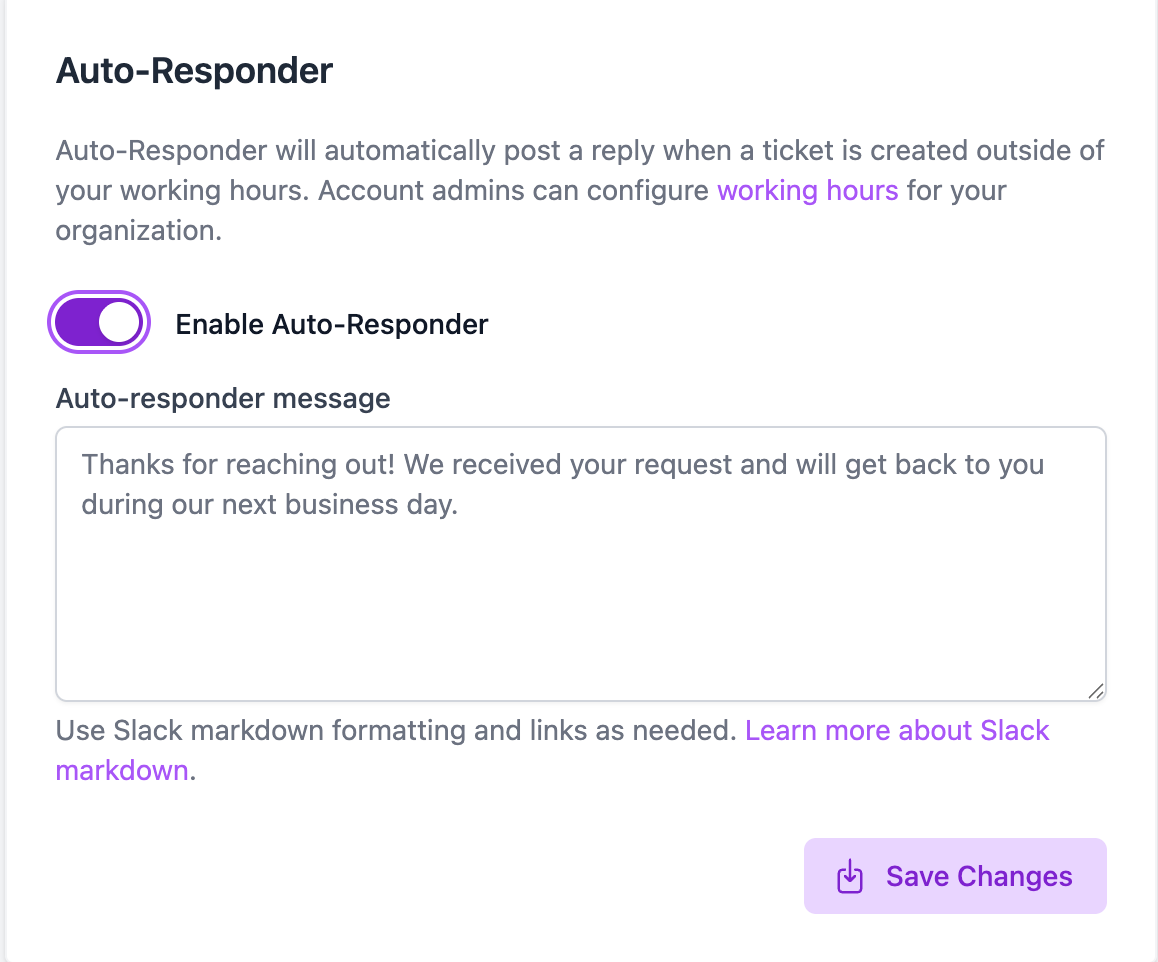
⏰ Auto-Responder for After-Hours Coverage
Set expectations automatically.
Wrangle can now auto-respond to tickets created after hours. Customize messages based on your availability so requesters know exactly when to expect a reply. Set up auto-responders
💬 DMs for Workflows & Approvals
Right task. Right person. Right place.
If someone assigned to a workflow step isn’t in the original channel, Wrangle will now:
- Send tasks, approvals, or forms via DM
- Let them take action directly from the message
No extra noise. No accidental exposure to sensitive requests.
✅ Multiple Approvers for Tickets
Approval flows that match reality.
You can now add multiple approvers to a ticket via the web app—and control how approvals work:
- Everyone must approve
- Majority approval
- Just one approver needed
Everything is tracked automatically, so there’s no ambiguity. Learn more.
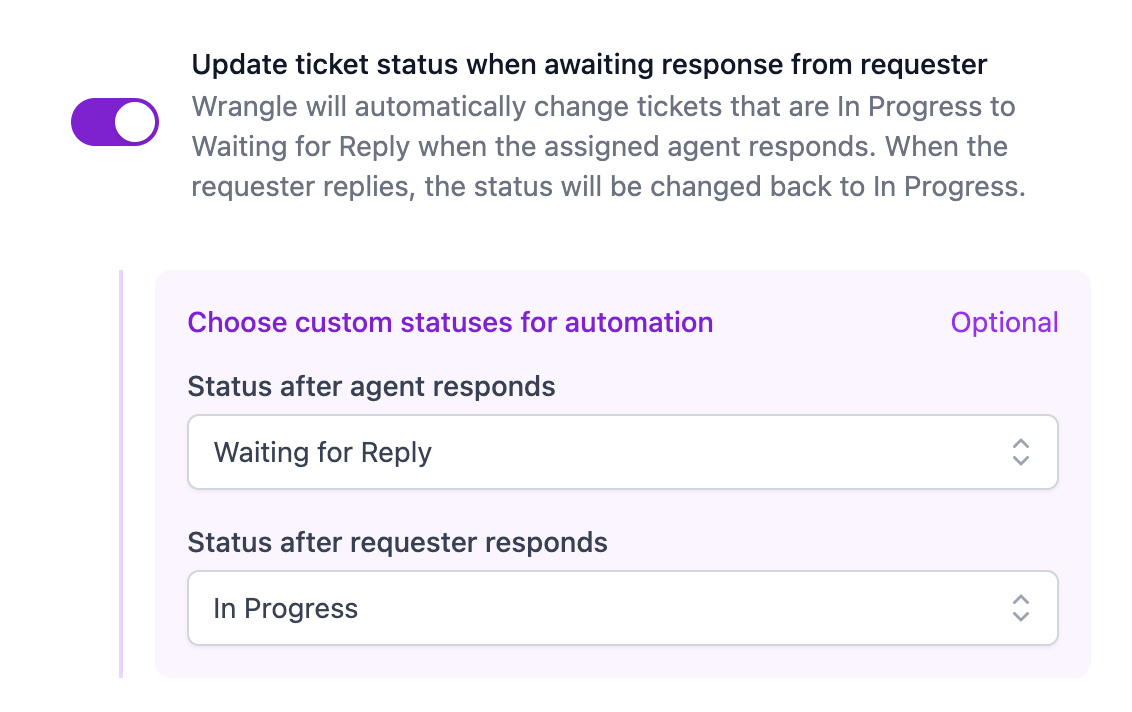
🔁 Smarter Status Updates When Waiting on Requesters
Statuses that update themselves.
When an agent replies to a requester, Wrangle will now:
- Automatically move the ticket from In Progress → Waiting for Reply
- Switch it back to In Progress when the requester responds
Your queue stays accurate without extra clicks.
🔕 Mute SLA Reminders for Admins
Focus the alerts where they matter.
SLA reminders are critical—but not everyone needs every notification. You can now mute SLA reminders for admins, keeping alerts focused on the agents who need to act.
🎯 Built for an amazing 2026
This update is all about clarity, speed, and control—helping teams scale support without scaling chaos. And we’re just getting started.
Here’s to a smarter, smoother, and more powerful year with Wrangle 🚀
— The Wrangle Team
Wrangle learns from your tickets and knowledge base to handleup to 75% of Slack questions automatically.


4.7 Average rating


Turn Slack into a productivity powerhouse with Wrangle
Create a scalable helpdesk in Slack. Automatically turn messages into trackable tickets and provide faster, more transparent service to your colleagues and customers with Wrangle — Try it free!
Wrangle learns from your tickets and knowledge base to handleup to 75% of Slack questions automatically.
4.7 Average rating