Slackbot Features: What It Can Do and Where It Falls Short
Explore Slackbot’s core features and limitations, plus how Wrangle adds ticket tracking, approvals, and workflow automation in Slack.

If you work in Slack all day, you've met Slackbot. The question most people have isn't whether it exists but what it's actually good for, and how far you can lean on it before you hit the edge of what a personal assistant is built to do.
This is a practical walkthrough. Here's what Slackbot handles well, what it leaves on the table, and how to tell whether it covers your team's needs.
What Is Slackbot?
Slackbot is Slack's built-in AI assistant. Ongoing access comes with Business+ and Enterprise+ plans, while Free and Pro workspaces get a limited preview. It answers questions, searches across your conversations and files, and takes on everyday writing and research tasks, all without making you leave Slack.
Think of it as a personal helper that already knows its way around the messages, channels, and documents you have access to.
What Slackbot Can Do: Five Core Features
Slackbot's strengths cluster around five everyday jobs. Here's each one, and what it looks like in practice.
1. Search and Synthesize Work Across Slack
Slackbot can search across messages, channels, and files and hand back a synthesized answer instead of a list of links. You ask a plain-language question, and rather than scrolling through a dozen threads, you get a short response that pulls the relevant pieces together.
Say you ask what the team decided about a launch date. Slackbot reads across the threads where it came up and tells you the answer, drawn from the conversations you can already see. It respects your permissions, so it only surfaces what you'd be able to find yourself.
2. Make Sense of Complex Documents
Long threads and long files are where time disappears. Slackbot can summarize documents, catch-up threads, and files shared in Slack, so you don't have to read all of it to know what's in it.
The practical benefit is speed. You drop into a 200-message channel after a day off and ask for the gist. You open a shared PDF and want the key points before a meeting. Slackbot gives you a condensed version, and you decide from there whether the full read is worth it.
3. Draft Briefs, Updates, and Plans
Slackbot can compose first drafts of written work: project briefs, status updates, plans, and the like. The blank page is the slow part of most writing, and this is where it saves time.
You give it the shape of what you need, and it produces a draft to edit rather than a start-from-nothing document. The output isn't final copy. It's a first pass that you refine, which is what you want when the goal is to stop staring at an empty message box.
4. Prepare for Meetings and Daily Priorities
Slackbot can surface the conversations and files that matter before a meeting and help you orient to your day. For a busy team, that means less time hunting for context and more time acting on it.
Ahead of a call, you can ask what's relevant and get the recent threads, decisions, and documents tied to it. At the start of the day, it helps you see what's waiting and where your attention should go. You walk in prepared without piecing the picture together by hand.
5. Create and Update Canvases
Canvases are Slack's collaborative document surface, a place to keep notes, plans, and reference material alongside your channels. Slackbot can create and edit them for you.
That closes the loop between a conversation and a lasting record. You can turn a discussion into a structured canvas, or update an existing one, without switching tools. The work stays where the talking happened.
What Slackbot Does Not Do
Slackbot is a personal AI assistant, and that's the key to understanding its limits. It answers, drafts, and summarizes for you. What it does not do is own work.
It doesn't track requests, assign them to a person, or enforce an SLA. It doesn't run a structured approval workflow or report on how much your team is handling. When someone asks for help through Slackbot, the request stays in conversation. It isn't converted into an owned, actionable ticket that someone is accountable for.
None of that is a flaw. It's the natural boundary of what a personal assistant is for. A personal assistant helps one person move faster; it was never meant to be the system of record for a team's workload. The moment your need shifts from "help me with this" to "make sure this gets done and nothing slips," you've stepped outside what Slackbot is built to carry.
Using Slackbot and Wrangle Together
Slackbot doesn't operate only on native Slack content. It works across connected apps, so it can surface information and take actions across the tools your workspace has integrated. Its conversational layer can reach into systems built for jobs Slackbot itself doesn't do.
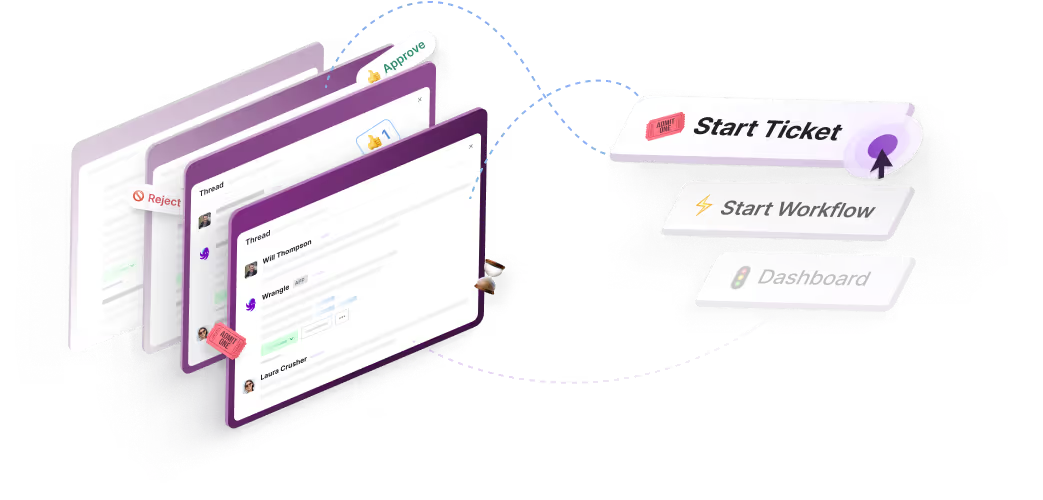
Wrangle is one example of what that pairing makes possible. Wrangle is AI-powered ticketing and workflow automation for internal and external teams across Slack, Microsoft Teams, and email, and it turns Slack conversations into owned, tracked tickets.
The two divide the work: Slackbot is the conversational entry point, and Wrangle supplies the ticket record, routing, SLAs, and reporting behind it. Wrangle is also the only tool in its category with a native Slack Workflow Builder integration, which matters when your recurring processes already live in Slack workflows.
The Wrangle MCP server is what connects the two. Once a Slack admin approves Wrangle as an app in Slackbot and each person connects their own Wrangle account, anyone can ask Slackbot to show their open tickets, file a request in the IT inbox, or summarize where a ticket stands, and Slackbot calls Wrangle to do it with that person's Wrangle permissions.
It isn't limited to actions in Wrangle, either: an assistant can use a request's context and approvals in Wrangle to carry out work in a connected system, then update the ticket when it's done. For steps that run between systems rather than in a conversation, Wrangle's API and webhooks handle the integration. Slack has also profiled Wrangle in a customer story on how it built ticketing on Slack's platform.
Is Slackbot Right for Your Team?
Here's the honest version. Slackbot fits teams that want AI-assisted search, drafting, and summarization right inside Slack. If your goal is to move faster through conversations, documents, and daily prep, it covers that well.
What it doesn't do is replace a help desk or a workflow tool. If your team needs structured request tracking, owned tickets, approvals, and visibility into workload, a personal assistant isn't the right layer for that, and leaning on it there will leave work untracked.
That's where Wrangle comes in, alongside Slackbot rather than instead of it. It keeps people working in Slack while making sure every request is captured, owned, and resolved.
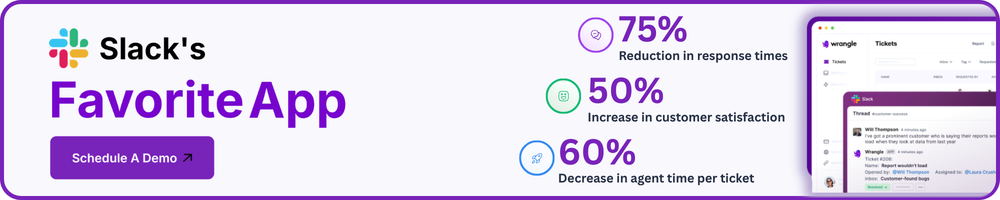
Wrangle reports that its customers have seen 60% faster ticket response times, a boost of 50% or more in customer satisfaction, and more than 75% of common questions deflected by AI before they reach a human agent. If your needs go past what a personal assistant can hold, see what Wrangle does.
Wrangle learns from your tickets and knowledge base to handleup to 75% of Slack questions automatically.


4.7 Average rating


Turn Slack into a productivity powerhouse with Wrangle
Create a scalable helpdesk in Slack. Automatically turn messages into trackable tickets and provide faster, more transparent service to your colleagues and customers with Wrangle — Try it free!
Wrangle learns from your tickets and knowledge base to handleup to 75% of Slack questions automatically.
4.7 Average rating