Slack AI Features: What Teams Are Actually Getting
Explore Slack AI features, including search, summaries, and recaps, plus how Wrangle adds ticketing and help desk tools.

If your team already runs on Slack, you've probably seen the prompts to turn on its AI features and wondered what you'd actually get for the money. This post walks through each native Slack AI feature, what it does in practice, and who it helps.
Then it covers where Slack's AI stops, and what you'd add to handle the work it doesn't touch.
What Slack AI Includes, and What It Costs
Slack's AI features are included in its paid plans rather than sold as a separate product. Basic AI comes with every paid plan, and more features unlock on the higher tiers.
Pro includes conversation and thread summaries and AI huddle notes. Business+ adds AI search answers, channel recaps, file summaries, translations, and AI workflow generation, and Enterprise+ adds Enterprise Search across connected apps.
Workspaces on legacy plans may see a different mix, and pricing changes often, so check Slack's own guide to AI features for current details rather than relying on a summary here.
The features below are the ones Slack has shipped as part of that AI layer. Each one does something specific, and they help different people in different ways.
AI-Powered Search
Slack AI search returns personalized, context-aware results across your channels, files, and connected apps. It isn't a keyword lookup. Instead of matching the exact words you typed, it reads intent and surfaces the answer, pulling from conversations and documents you already have access to.
For organizations on Slack's Enterprise tier, Enterprise Search widens that reach, bringing results from connected apps into the same query so a search isn't limited to Slack messages alone.
Who benefits: anyone who loses time hunting for a decision, a file, or a piece of context buried deep in Slack history. If you've ever scrolled for ten minutes trying to find where a choice got made, this is aimed at you.

Thread Summaries
Slack AI can summarize any thread on demand. It surfaces the key points and the decisions, so you don't have to scroll through dozens of replies to find out where things landed.
You trigger it on the thread itself, and you get the gist back in a few lines. The long back-and-forth stays there if you need it, but you don't have to read it to catch up.
Who benefits: people joining a thread late, or anyone catching up after a day out. Instead of reading every message to reconstruct the conversation, you read the summary and move on.
Channel Recaps
Slack AI generates a summary of what happened in a channel over a time window you choose. Pick the last day, the last week, or whatever range matters, and it tells you what went on without making you read every message.
This is most useful for channels you monitor but don't live in. You keep an eye on them, but you don't need every detail in real time.
Who benefits: managers and cross-functional stakeholders keeping tabs on several streams at once. When you follow six channels and actively work in one, recaps let you stay informed on the rest without the time cost.
Daily Digest and Highlights
Slack AI surfaces a prioritized digest of what matters across your channels. Slack packages this as the "Today" view: a single starting point that pulls the important items from everywhere you'd otherwise have to check one by one.
Rather than working through every unread channel in order, you open one place and see what's been flagged as worth your attention first.
Who benefits: individuals who want a single front door to their day instead of a wall of unread badges. If mornings start with triaging notifications, the digest is built to do that triage for you.
AI Agents and Slackbot Extension
Slack's platform lets teams build or connect AI agents that work inside Slack conversations. These agents can answer questions, take actions, or hand off to a person, all within the chat where the work is happening. The platform also lets you extend Slackbot with custom AI behavior, so the built-in assistant can do more than its defaults.
Part of what makes this possible is MCP connectivity. MCP lets Slack and external AI systems connect, so a compatible assistant can work with Slack through supported tools. It's a connection capability, not a finished automation out of the box. What you get from it depends on what you build or connect on top of it.
Who benefits: teams that want to automate responses or wire Slack into external AI systems rather than treating it as a closed box.
Privacy and Data Use
The common worry with any workplace AI is where your data goes. Slack's published position is that customer data is not used to train third-party AI models. By Slack's own statements, you control your data, and it stays within your workspace's boundaries rather than feeding an outside model.
A frequent question is whether Slack AI can read private messages. The plain answer: Slack AI works within the same permission model as the rest of Slack. It can only surface content you already have access to. It doesn't see private channels or direct messages you aren't part of, and turning on AI doesn't widen what anyone can reach.
If you couldn't read a message before, the AI can't read it for you.
That matters for evaluation, because enabling Slack AI doesn't change your access controls. It operates inside them.
Adding a Dedicated Help Desk with Wrangle
Slack's AI features are built for communication and retrieval across a workspace. Teams that run IT, HR, operations, or customer support out of Slack usually need a dedicated help desk alongside them, where each request has an owner, a deadline, and a record.
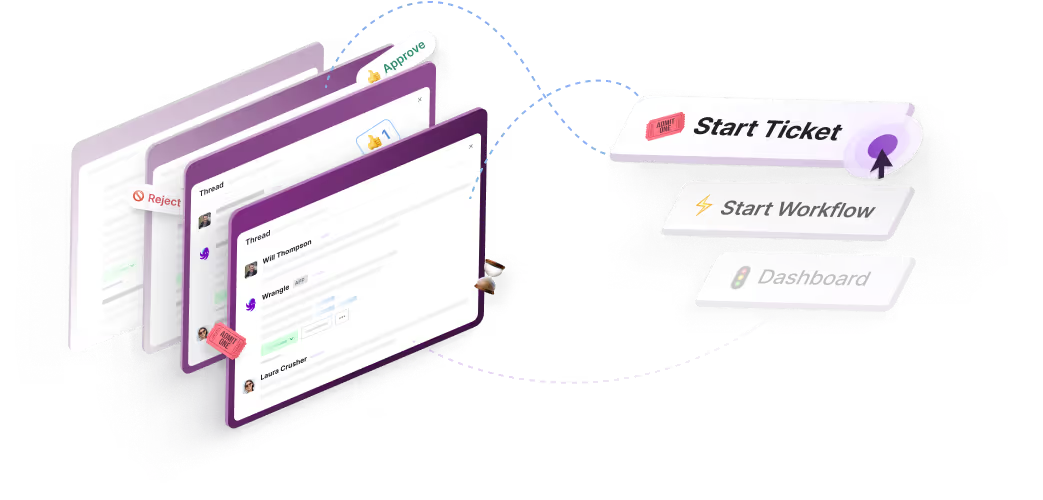
Wrangle is a dedicated help desk for that work: AI-powered ticketing and workflow automation for internal and external teams across Slack, Microsoft Teams, and email. It captures a request in the conversation where it was made and turns it into an owned, tracked ticket, with a status, a priority, and reminders, so nothing slips through a busy channel.
The requester never has to leave where they work or go find a portal.
What sets Wrangle apart is that it pairs AI deflection and Copilot with the parts of a help desk that make work accountable: ticket ownership, SLAs, approvals, and reporting. Recurring processes like onboarding, access requests, and purchasing run as no-code workflows with forms and approval steps.
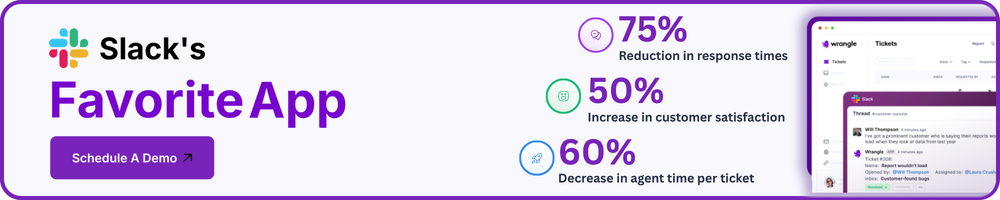
Managers get reporting on response times, workload, and bottlenecks. Wrangle reports that customers have seen 60% faster ticket response times, a boost of 50% or more in customer satisfaction, and that its AI deflects more than 75% of common questions before they reach a human agent.
When the AI can't resolve something, the same conversation becomes a tracked ticket, so AI and people share one thread.
On Wrangle's Scale plan, its AI answers common questions from connected knowledge, suggests replies for agents to review, tags requests, and answers plain-language questions about ticket trends. When the AI can't resolve something, the same conversation becomes a tracked ticket, so AI and people share one thread. Wrangle is SOC 2 compliant and supports GDPR through its DPA.
One detail matters for teams invested in Slack Workflow Builder: Wrangle reports that it is the only one of its competitors with a native Slack Workflow Builder integration, which lets the workflows you already build in Slack connect to tracked tickets and processes.
Wrangle also connects beyond Slack. Its API and webhooks let other systems create and update tickets, start workflows, and respond when a ticket changes, and the Wrangle MCP server lets AI assistants such as Claude, ChatGPT, and Slackbot search, create, and update tickets in plain language.
Wrangle's MCP support also connects requests to action across your tools: an AI assistant can use a request's context and approvals in Wrangle to carry out work in a connected system, then update the ticket when it's done. Slack itself features Wrangle in a customer story on how it built conversational ticketing on Slack's platform.
If your team already takes requests in Slack, Wrangle adds the help desk around them: AI that answers common questions first, tickets with owners and SLAs, approval workflows for recurring requests, and reporting on how quickly work gets done. Explore Wrangle to see how it fits the way your team already works.
Wrangle learns from your tickets and knowledge base to handleup to 75% of Slack questions automatically.


4.7 Average rating


Turn Slack into a productivity powerhouse with Wrangle
Create a scalable helpdesk in Slack. Automatically turn messages into trackable tickets and provide faster, more transparent service to your colleagues and customers with Wrangle — Try it free!
Wrangle learns from your tickets and knowledge base to handleup to 75% of Slack questions automatically.
4.7 Average rating